Distributor Guide · Guide 04
Goal-Based Investing
Help clients invest with purpose. Identify and prioritise goals such as retirement, education, or a home purchase. Each goal is assigned a time horizon and target amount with real-time inflation adjustments.
Part of the Goal-Based Investing feature on Rabbit Invest. See plans →
- •Go to the Clients tab on your dashboard. Click on the client whose goals you want to manage.
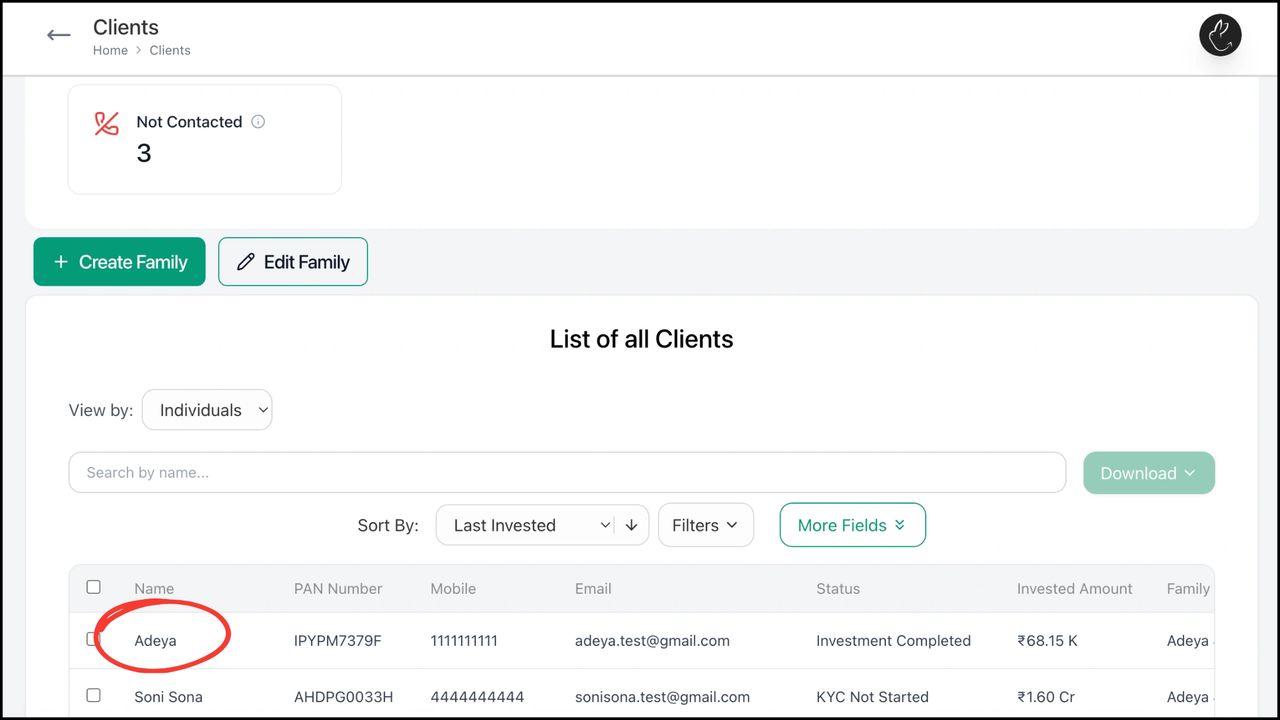
- •Click on 'Goals'.
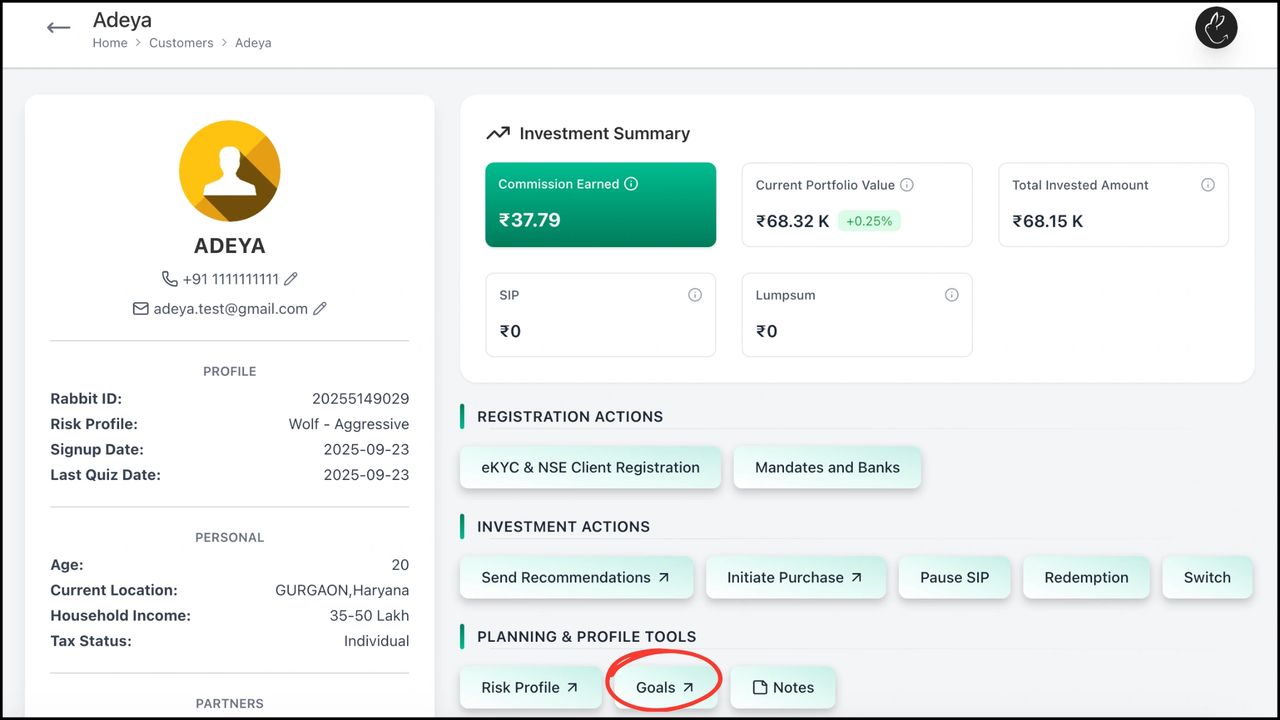
- •To create a new goal, click on 'Add New Goal'.
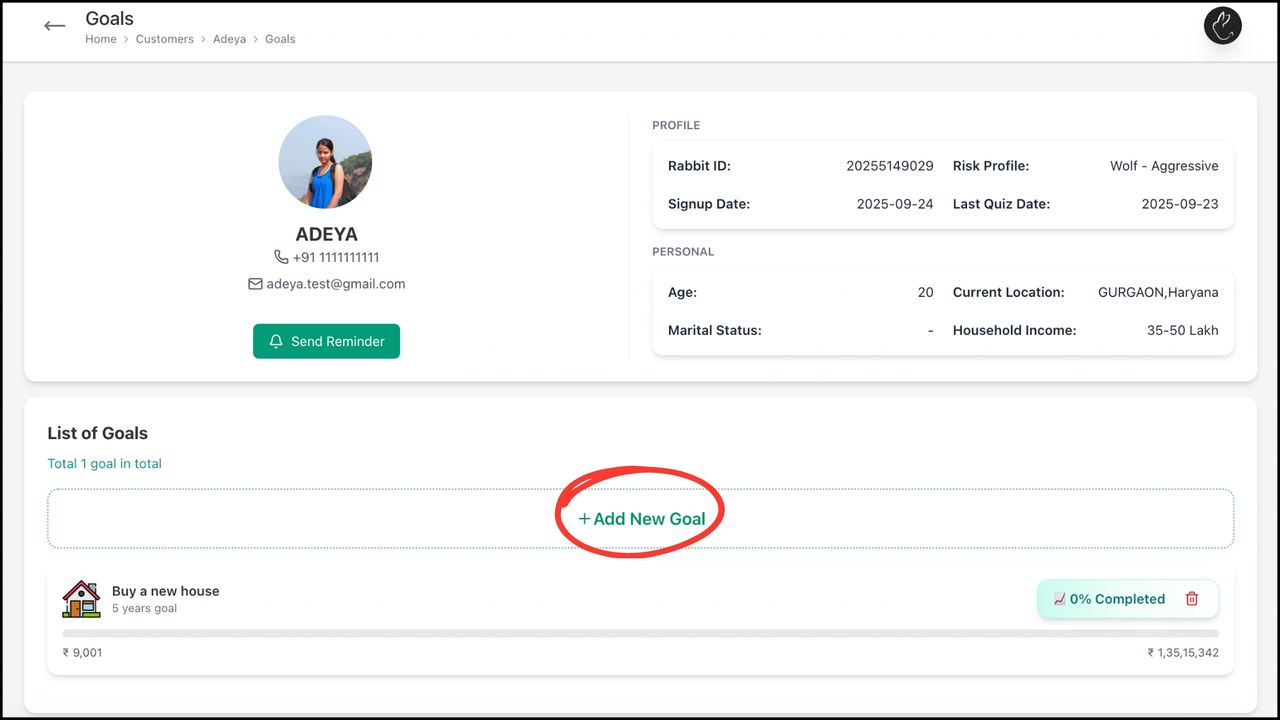
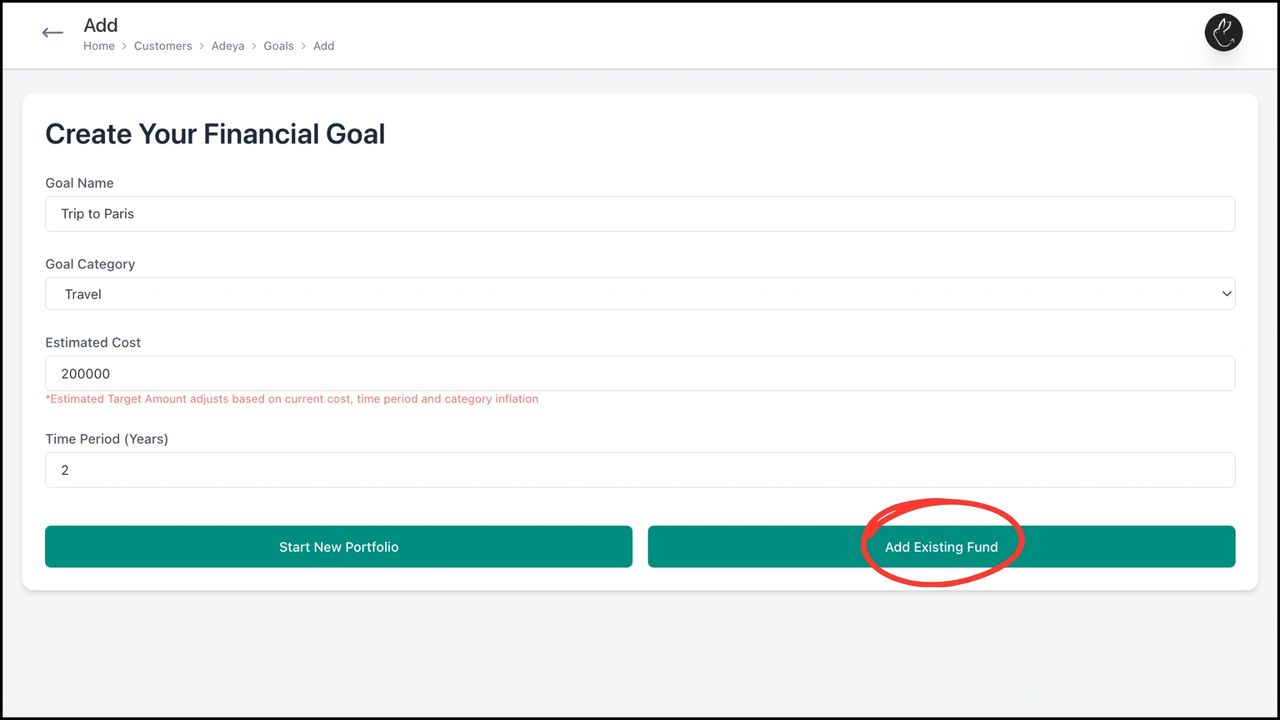
- •After entering goal details, assign funds. Choose 'Start New Portfolio' to purchase fresh funds for this goal, or 'Add Existing Funds' to assign from the client's current holdings.
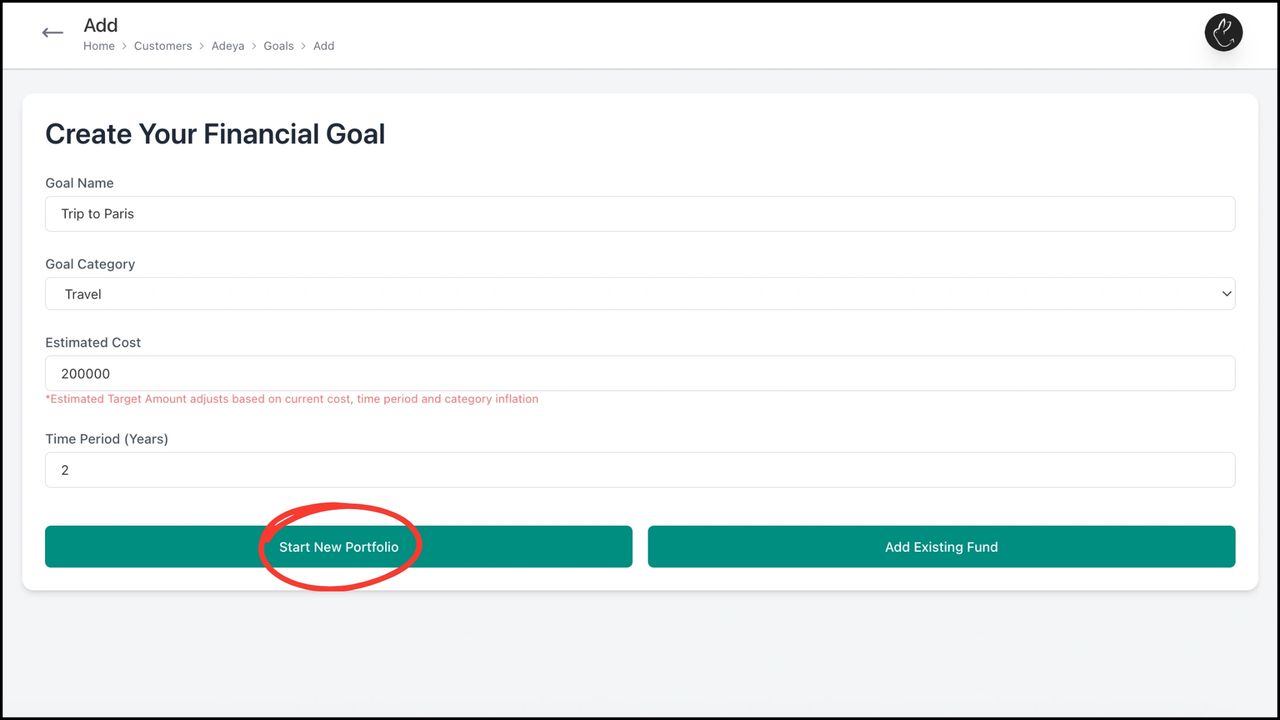
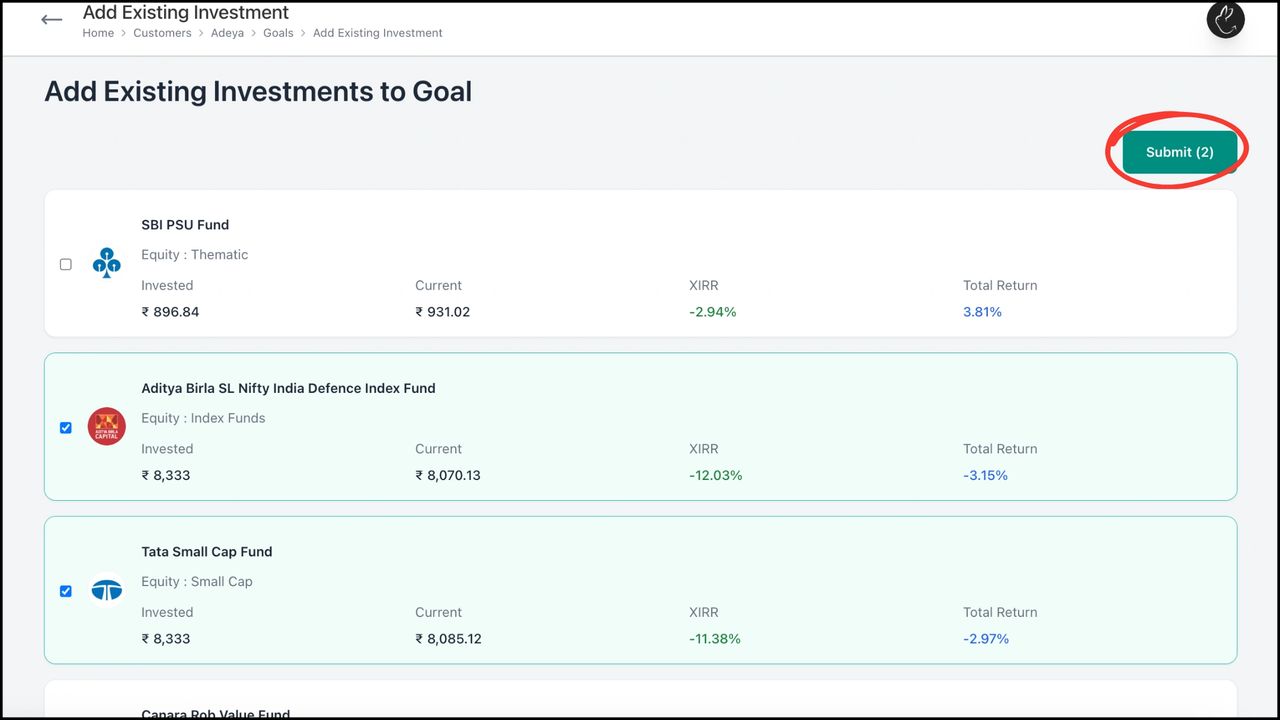
- •Add Existing Funds: Select the funds from the client's existing investments that you want to assign to this goal.
- •Select the funds and click 'Submit'.
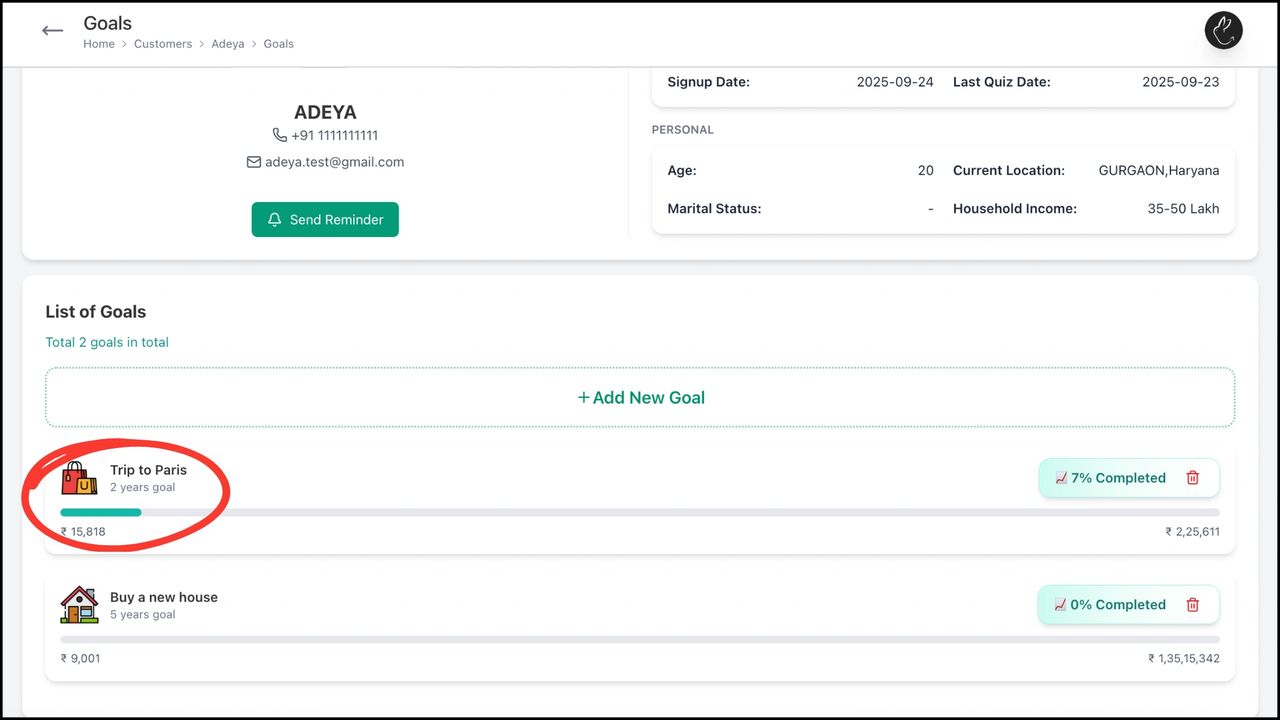
- •The goal appears in 'List of Goals'. View progress, amount accumulated so far, and the final target. Click the goal to see full details or make edits.
Need hands-on help? Your RM is one message away.
Chat on WhatsApp