Distributor Guide · Guide 03
Redeem Investments
Step-by-step guide to initiating redemptions for any client directly from your Rabbit Invest dashboard.
Part of the Transaction Execution feature on Rabbit Invest. See plans →
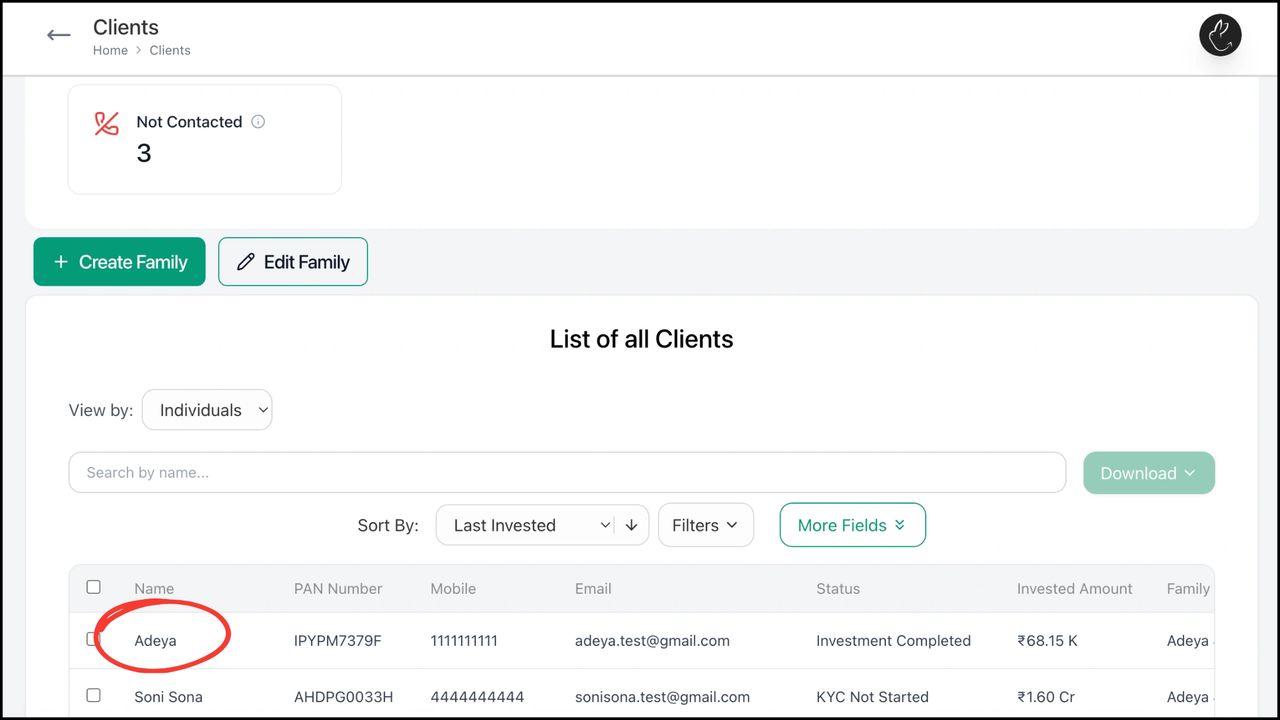
- •Go to the Clients tab on your dashboard. Search or click on the client for whom you want to initiate a redemption.
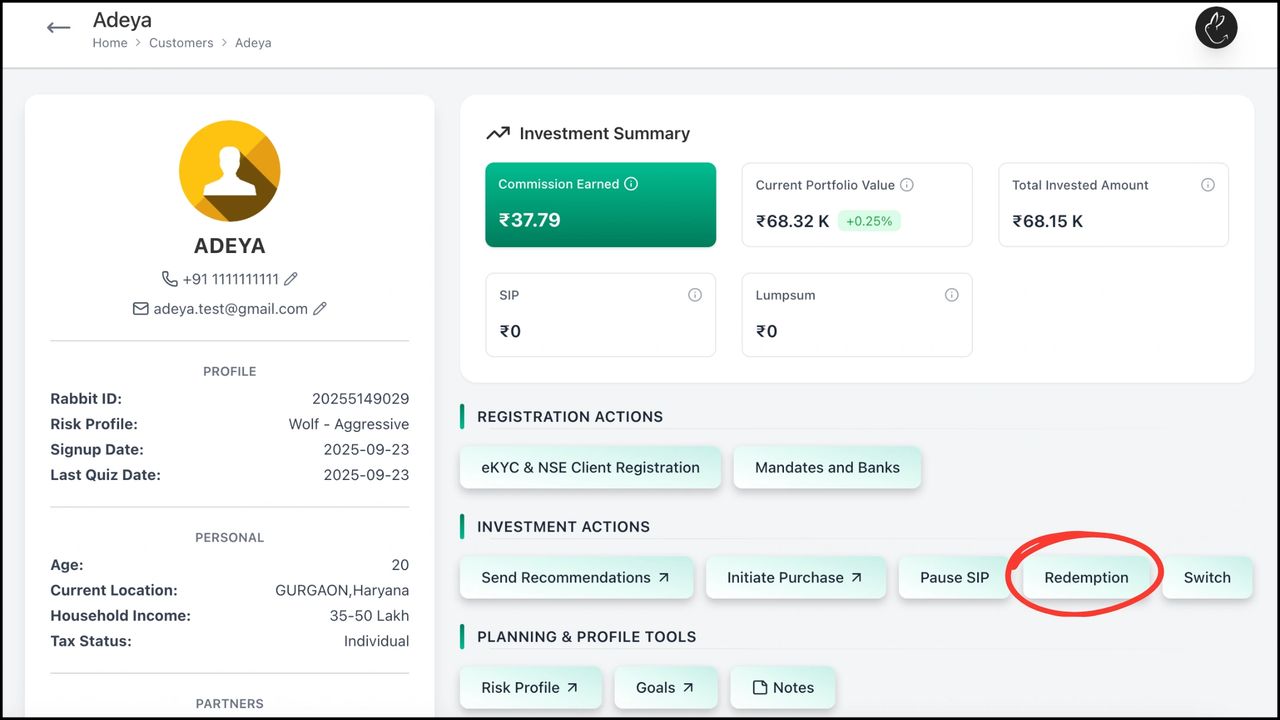
- •Click on 'Redemption'.
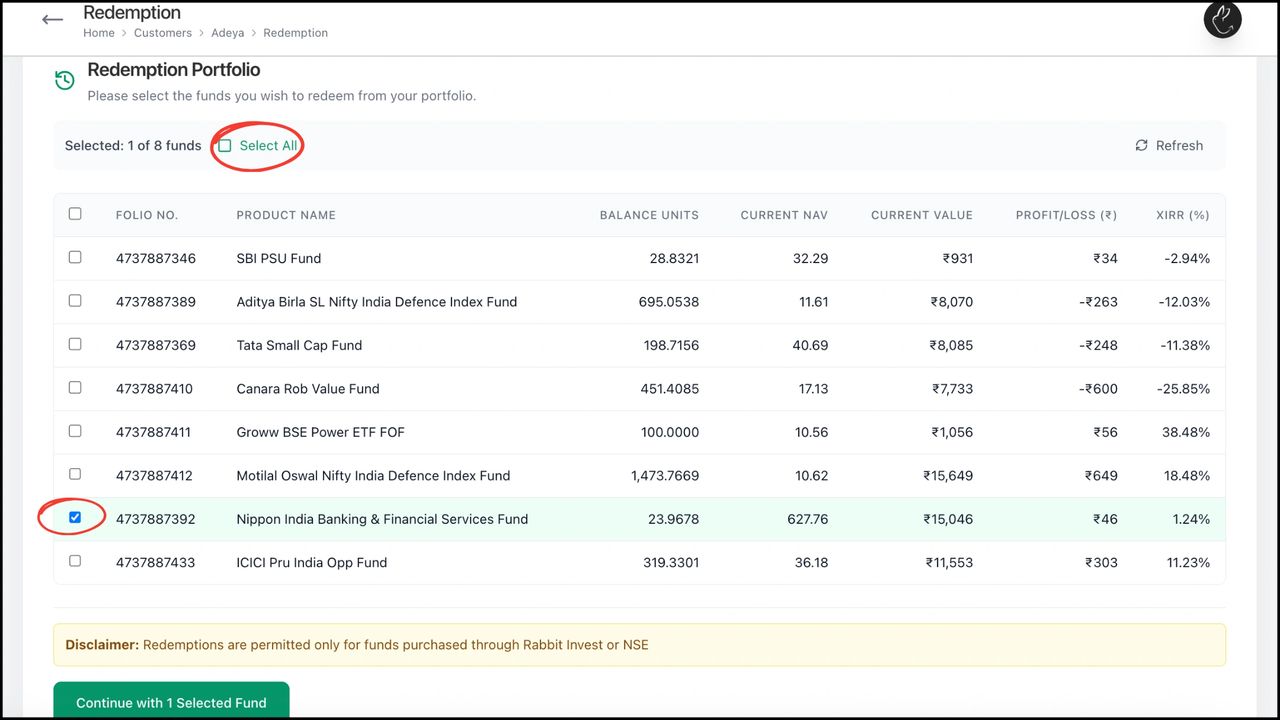
- •Select the funds you want to redeem. Click 'Continue'.
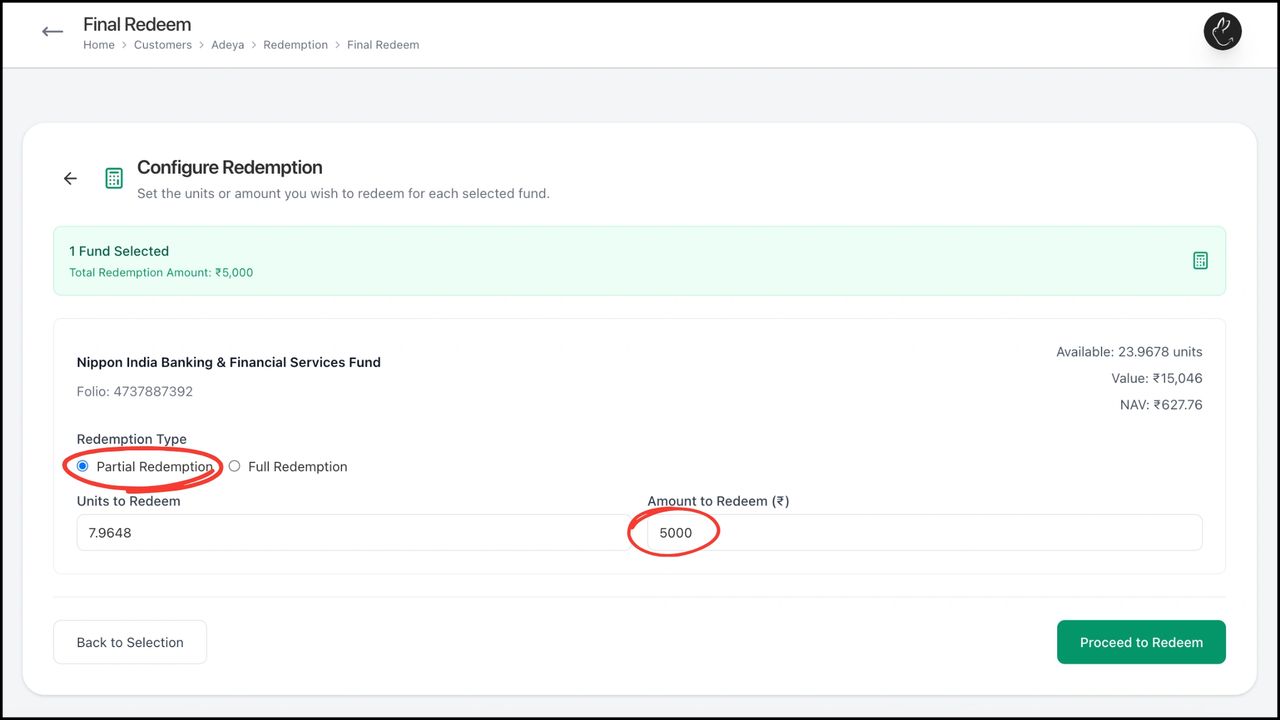
- •Select Partial or Full Redemption. Enter Units to Redeem (auto-calculates amount) or Amount to Redeem (auto-calculates units). Click 'Proceed to Redeem'.
- •Notify the client via App Notification or WhatsApp. A default redemption message is pre-filled and editable.
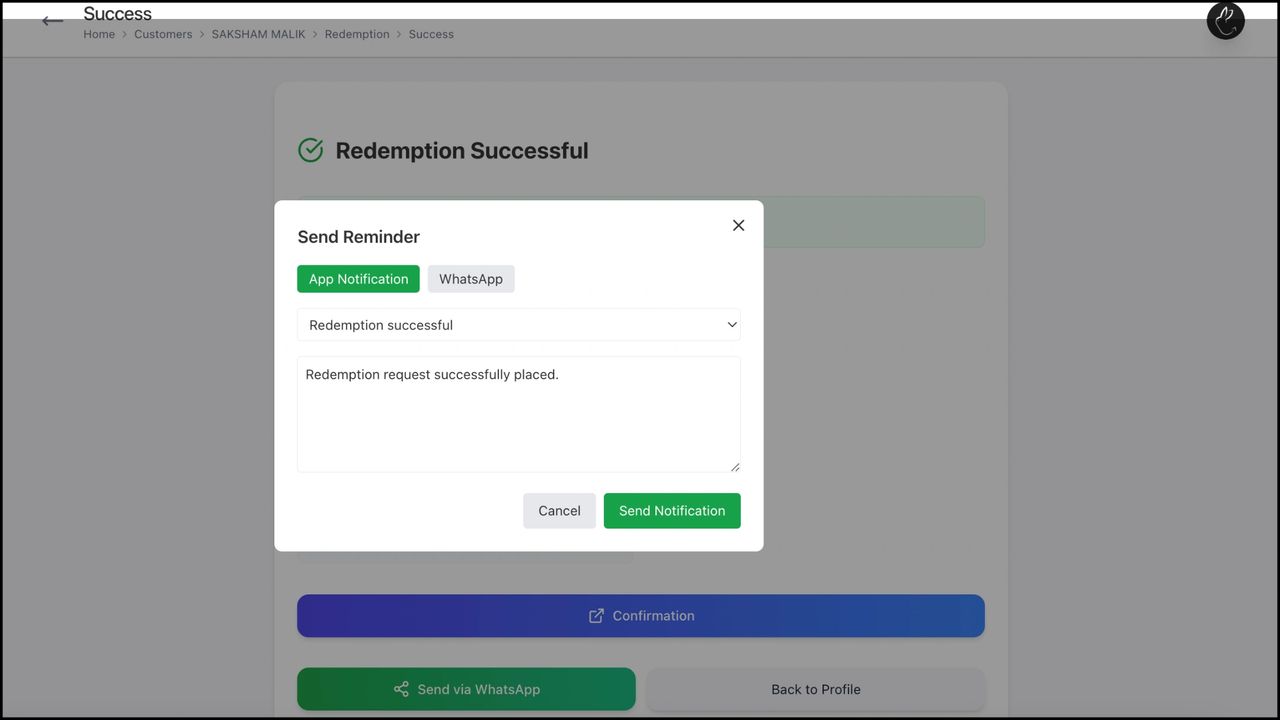
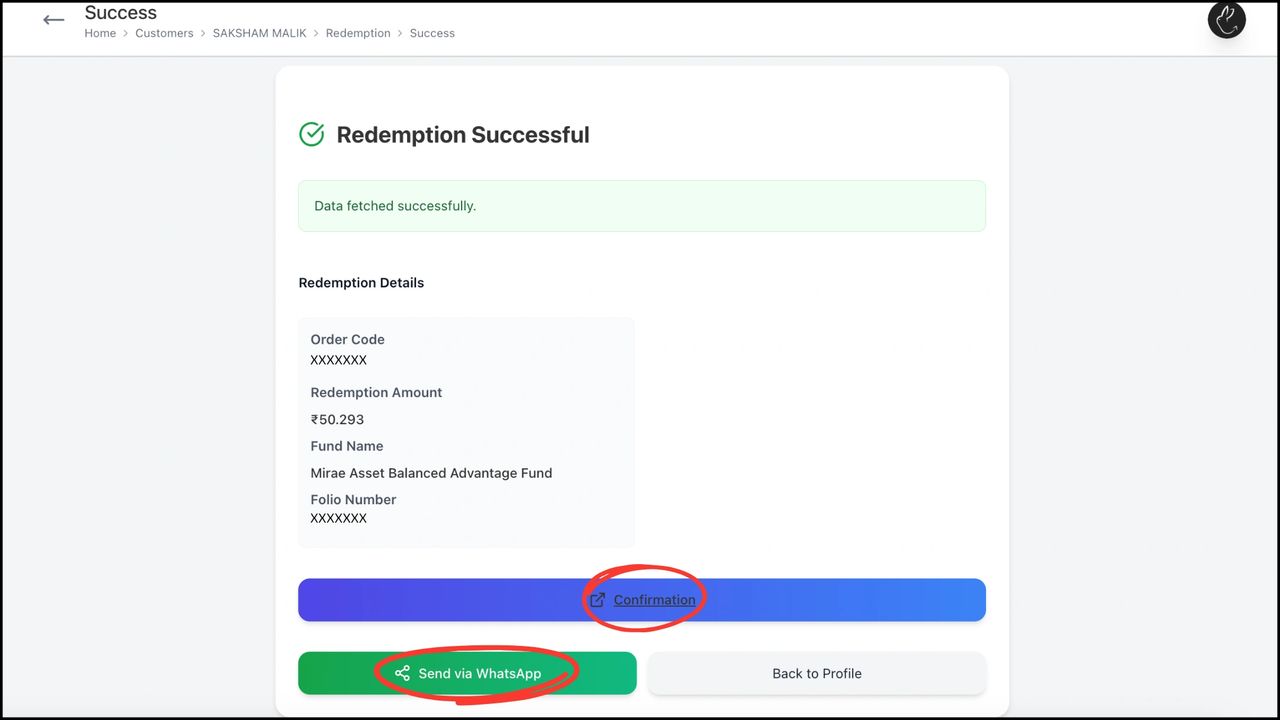
- •'Redemption Successful' means confirmation has been initiated via NSE. The client can authorise from their end, or click 'Confirmation' to be redirected to the NSE page where you can enter the OTP on their behalf.
Need hands-on help? Your RM is one message away.
Chat on WhatsApp