Distributor Guide · Guide 05
Fund Comparison & Technical Analysis
Compare multiple funds against category peers and benchmarks across market cycles. Assess sector and stock-level allocation, view factsheets, and share insights directly with clients.
Part of the Fund Research feature on Rabbit Invest. See plans →
- ★Click on the Browse Funds tab on your dashboard.
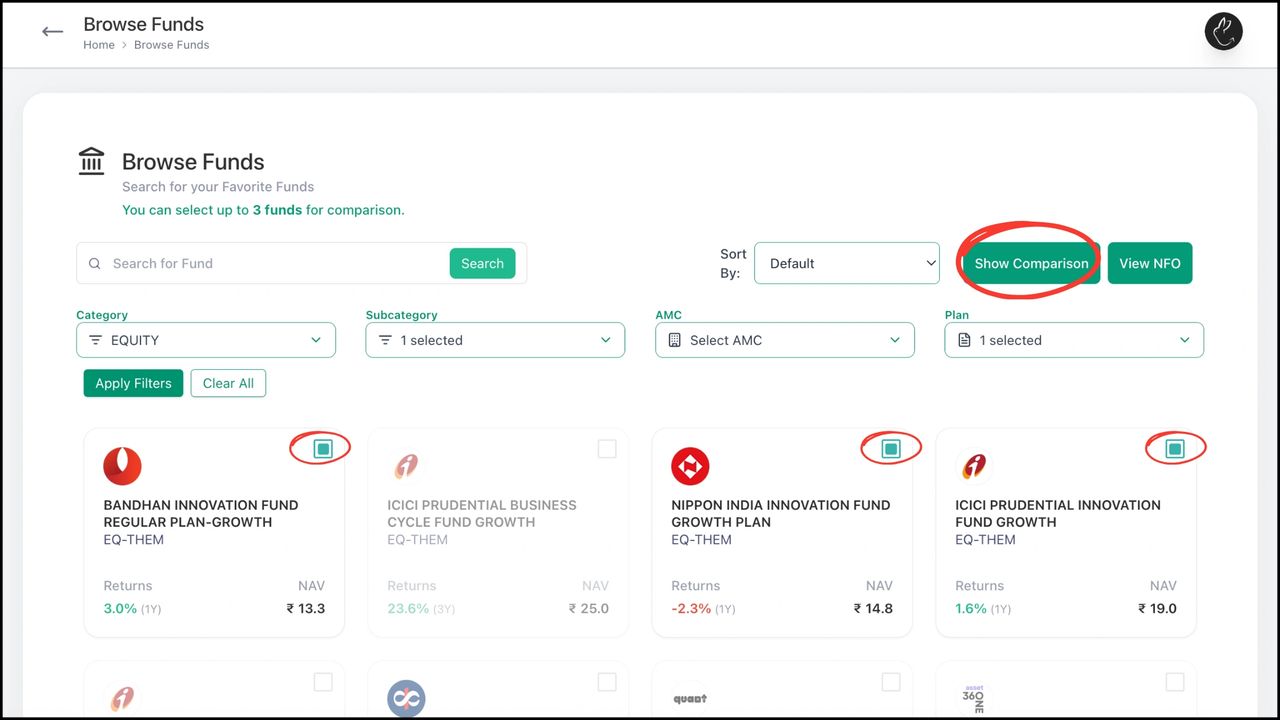
- •Select or search the funds you want to compare (up to 3). Click 'Show Comparison'.
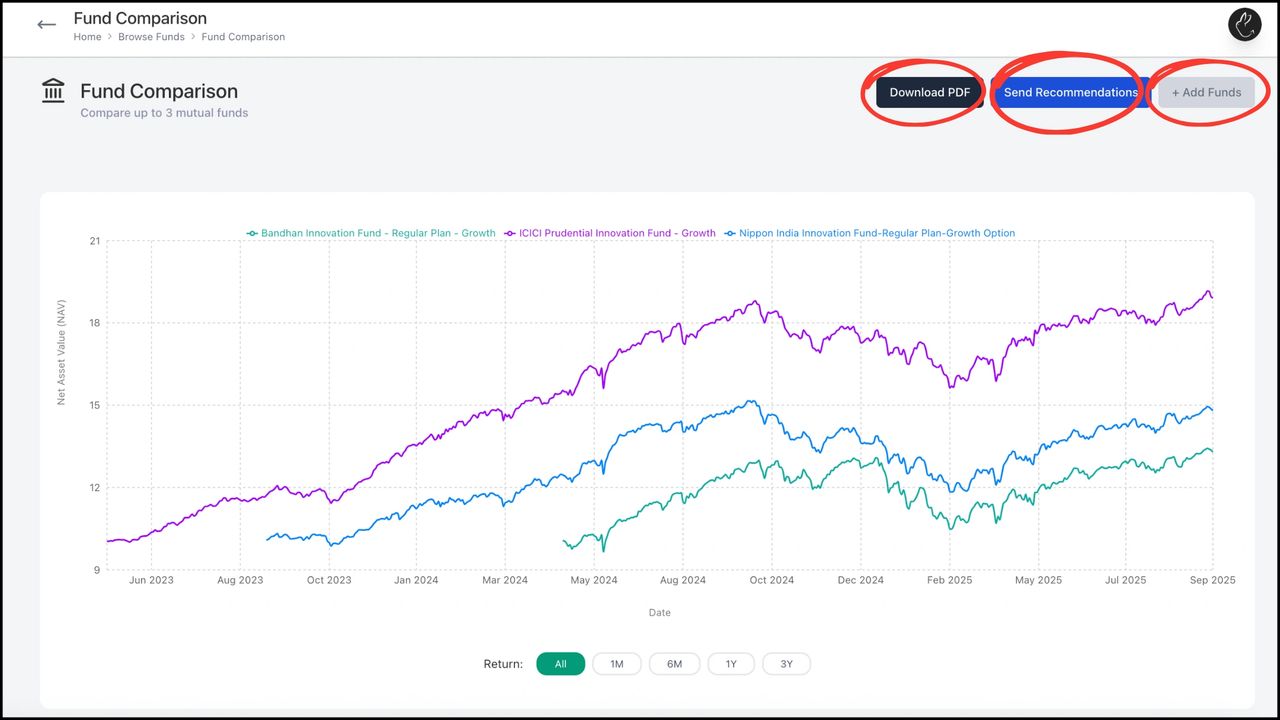
- •The comparison page shows NAV returns side by side. Scroll down to see sector allocation, stock holdings, and more detailed metrics. You can download the data or send it as insights to your clients.
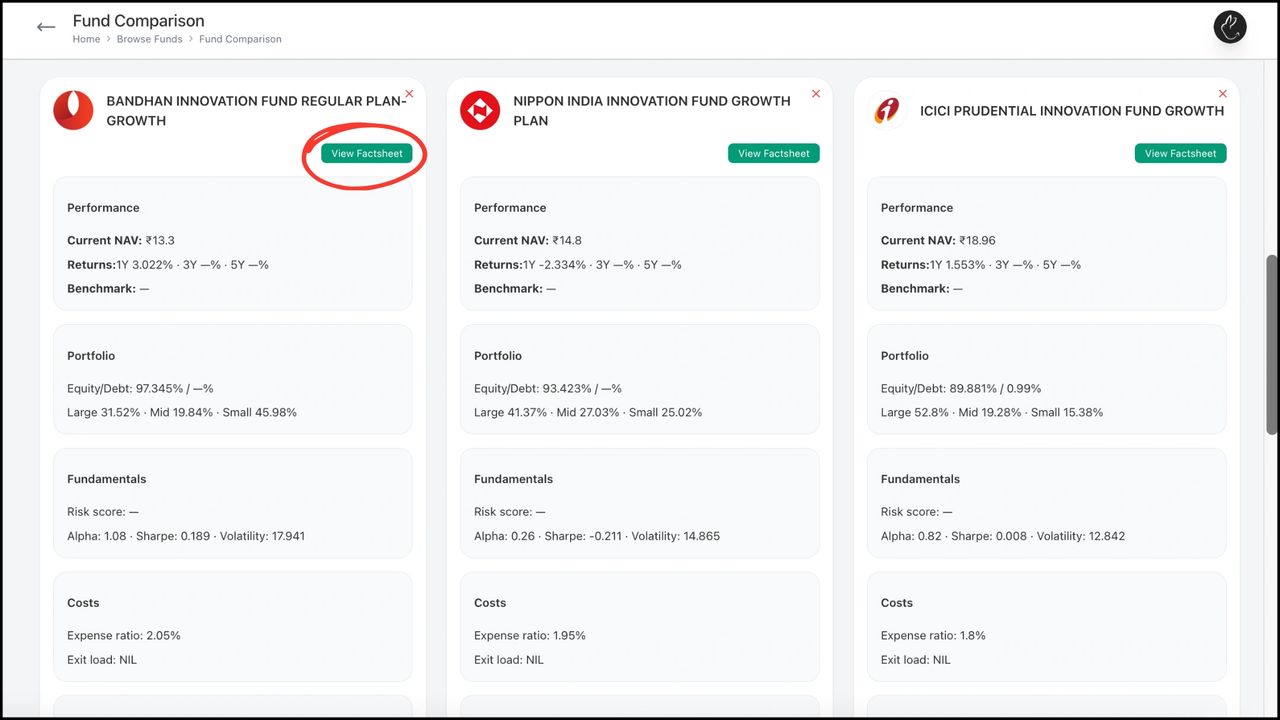
- •Continue scrolling for additional technical analysis and holdings breakdown.
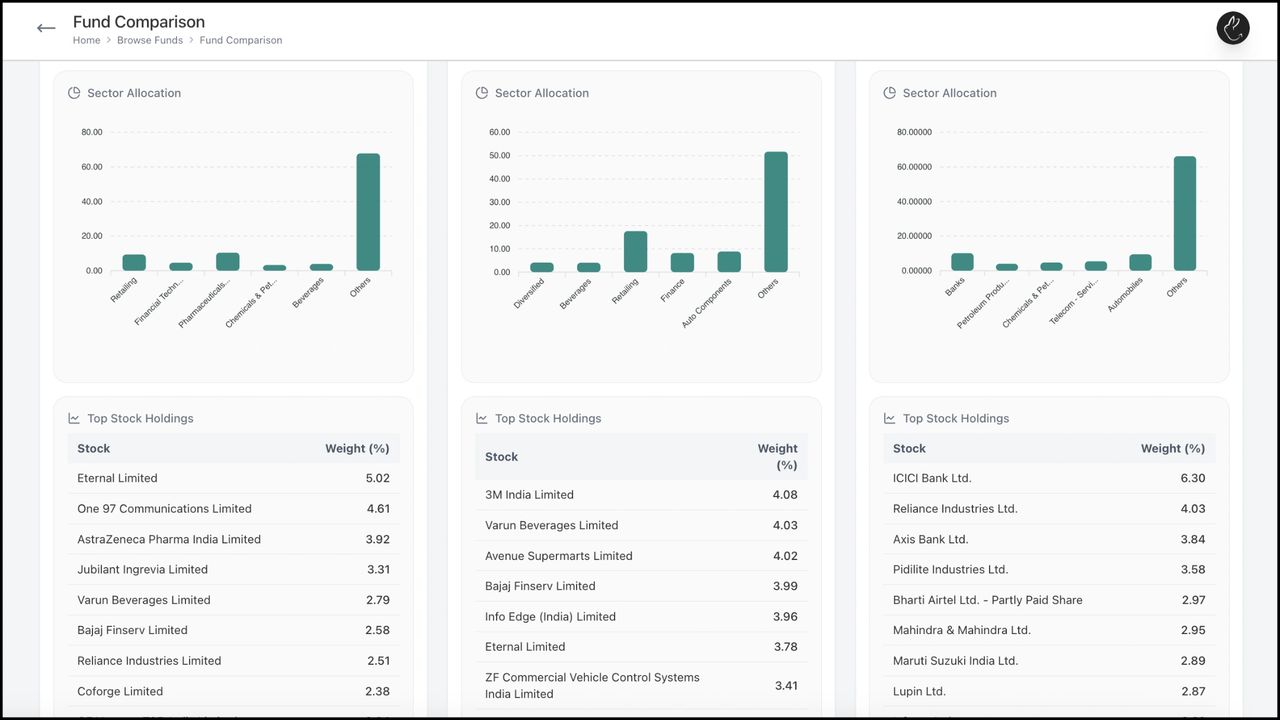
- •Full sector and stock-level data is visible at the bottom of the comparison view.
Need hands-on help? Your RM is one message away.
Chat on WhatsApp