
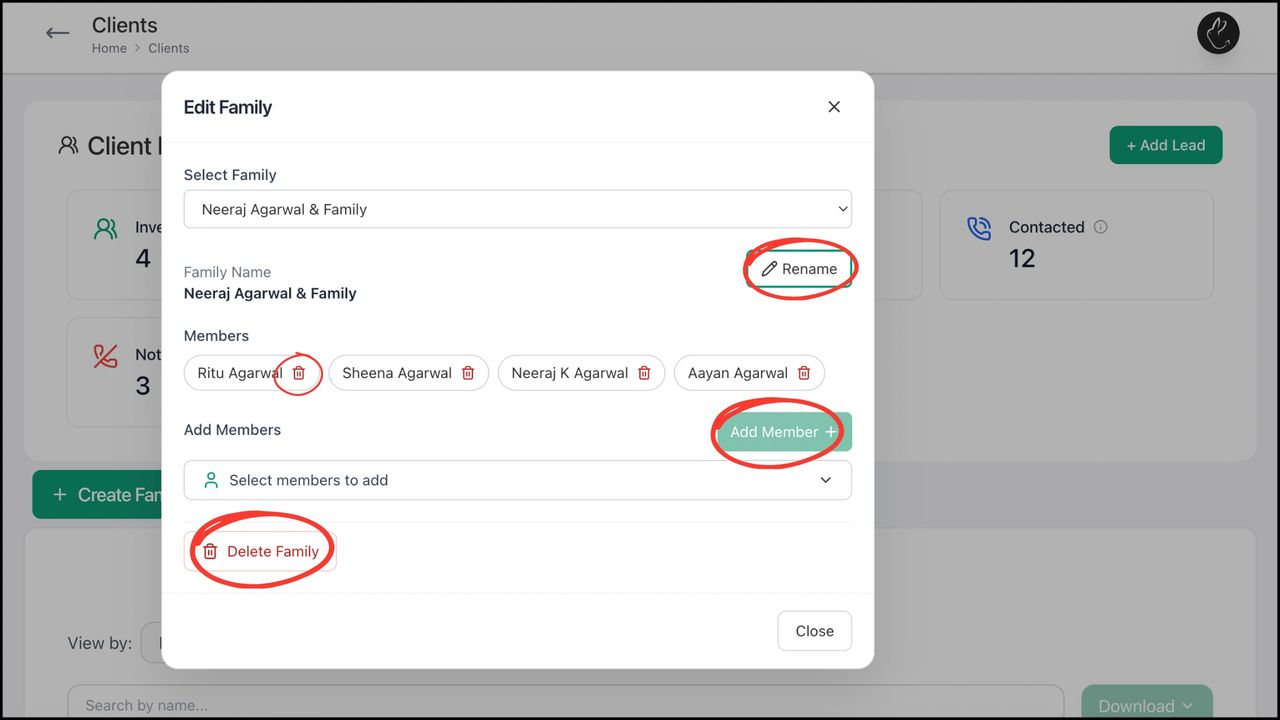
BACK Create, Edit, and Manage Family with Rabbit Invest Distributors often manage portfolios for multiple members of a family. “Family” feature helps to get a consolidated view of the household.
.png/:/cr=t:0%25,l:0%25,w:100%25,h:100%25/rs=w:1280)
BACK How to Initiate Purchase with Rabbit Invest Purchase is an important feature of the distribution business. Purchase process on Rabbit Invest is a simple and easy process. Browse & select
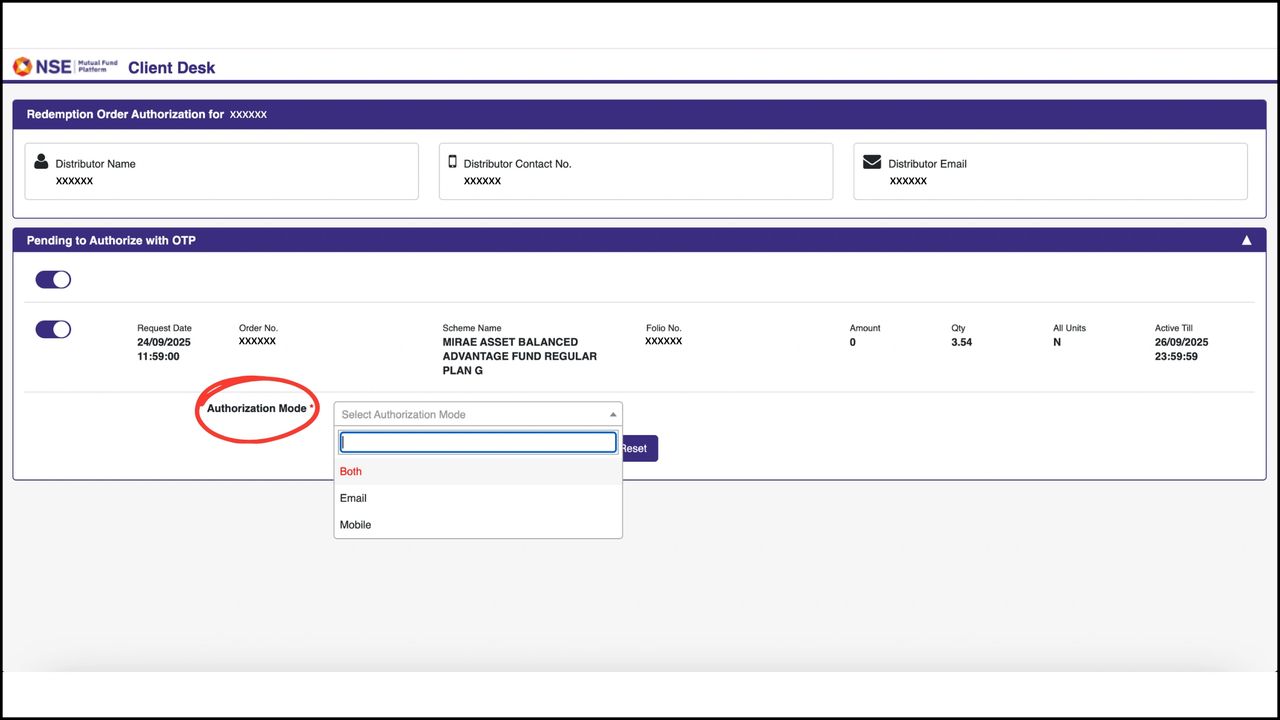
BACK How to Redeem Investments with Rabbit Invest 1. Click on Clients tab in your dashboard. Under ‘List of all Clients’, search/ click on the client for whom you want to make the redemption for 2.
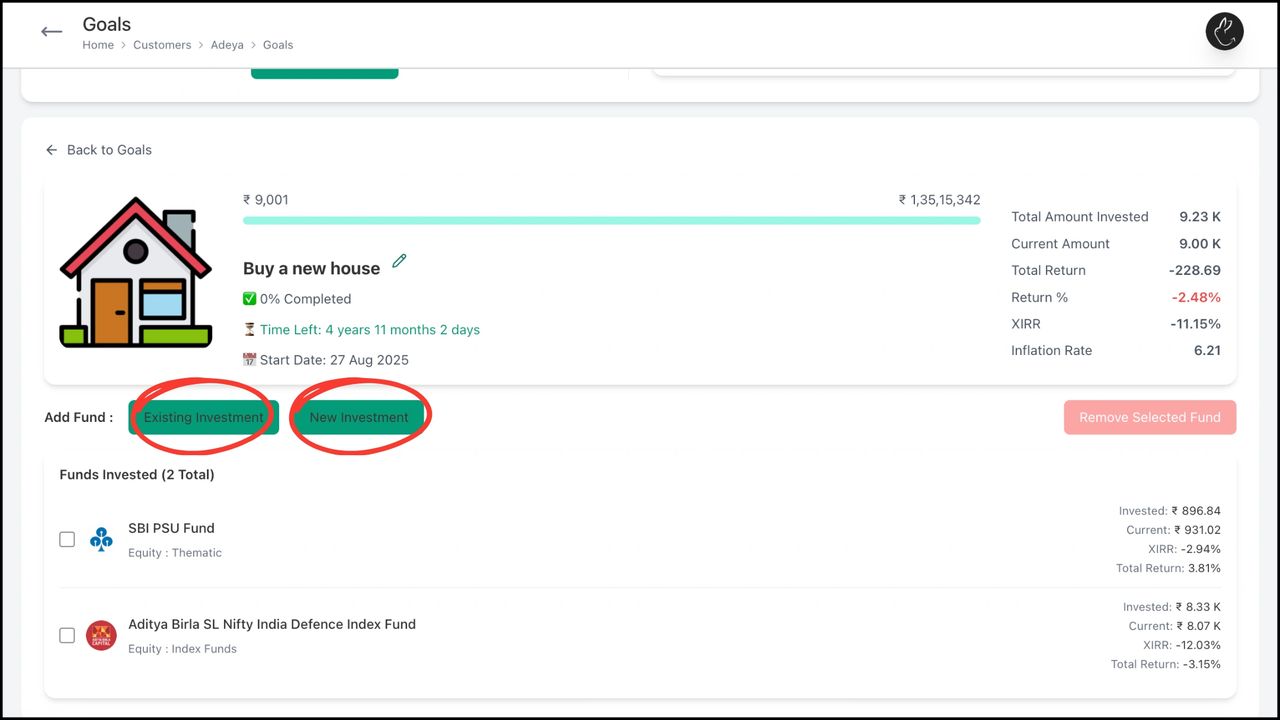
BACK Goal-Based Investing with Rabbit Invest Invest for your goals by identifying and prioritizing goals such as retirement, education, or purchasing a home. Each goal is assigned a time horizon and
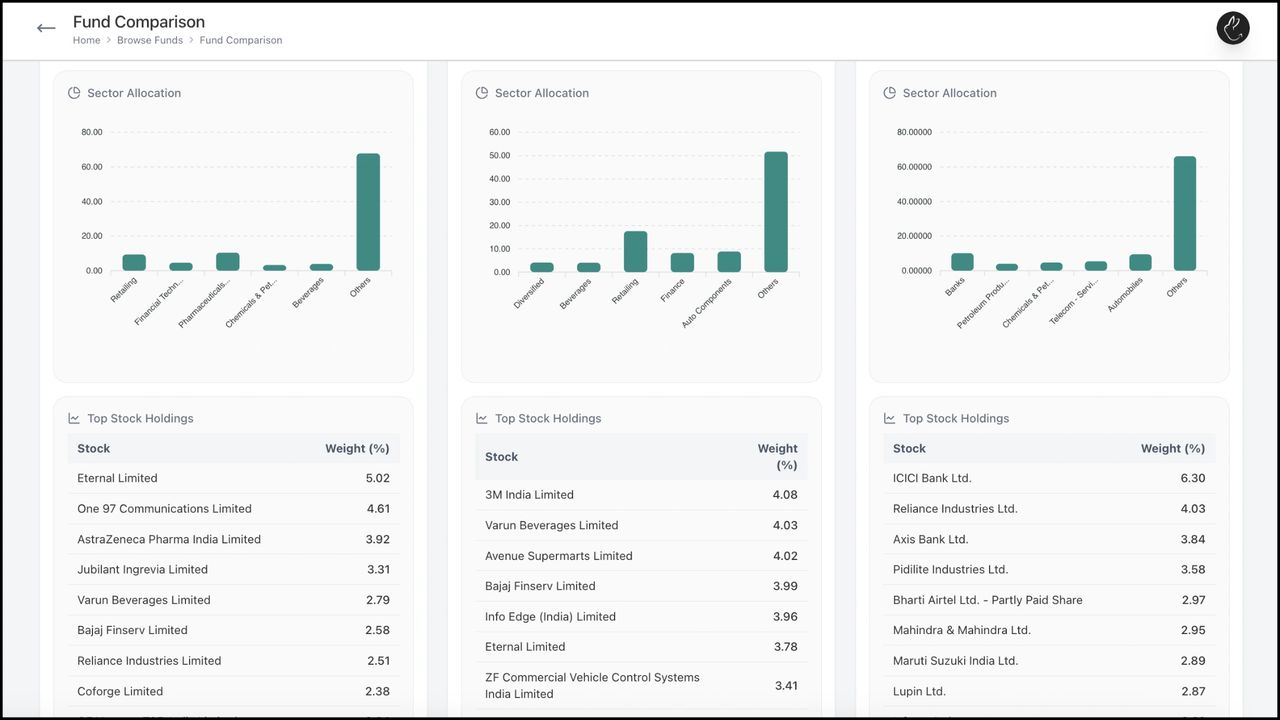
BACK Fund Comparison & Technical Analysis with Rabbit Invest Assess fund consistency and competition by comparing multiple funds to provide the best to your client. Compare against category peers
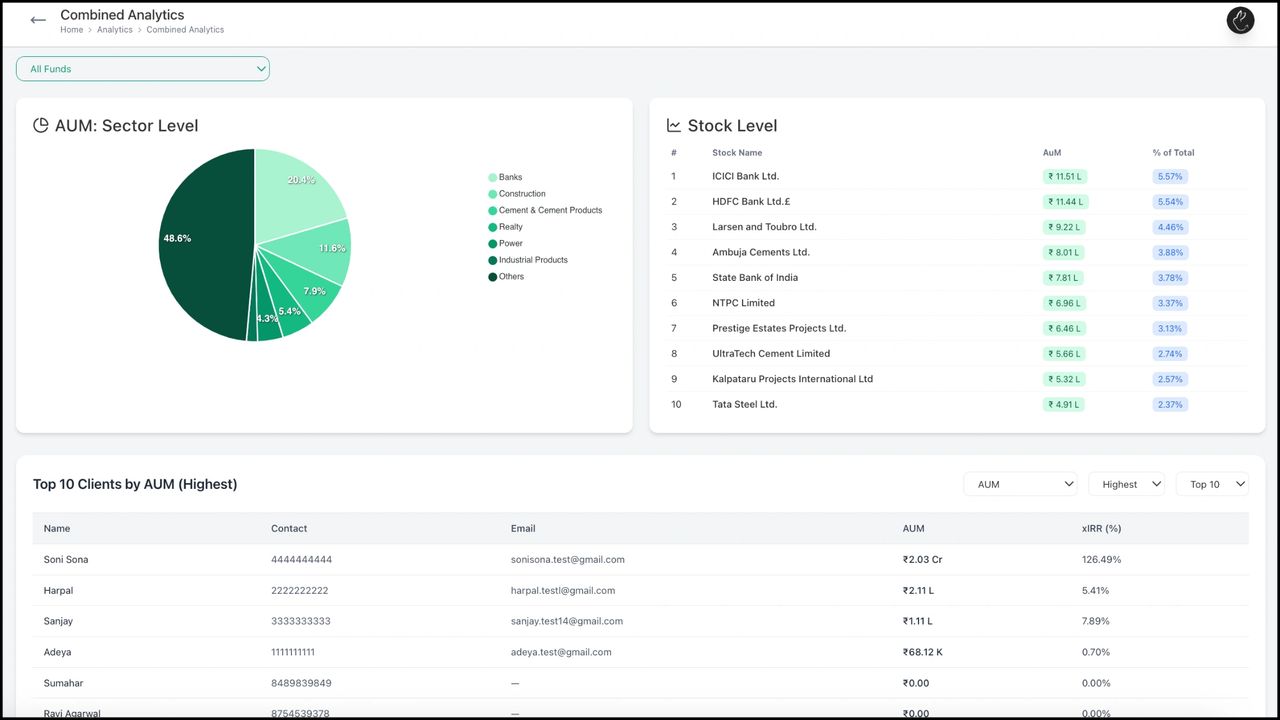
BACK Explore Combined Analytics with Rabbit Invest Rabbit Invest gives performance insights and trends on an individual, family, and business level. Individual Analytics gives insights for a
Explore Combined Analytics with Rabbit Invest Rabbit Invest gives performance insights and trends on an individual, family, and business level. Individual Analytics gives insights for a particular
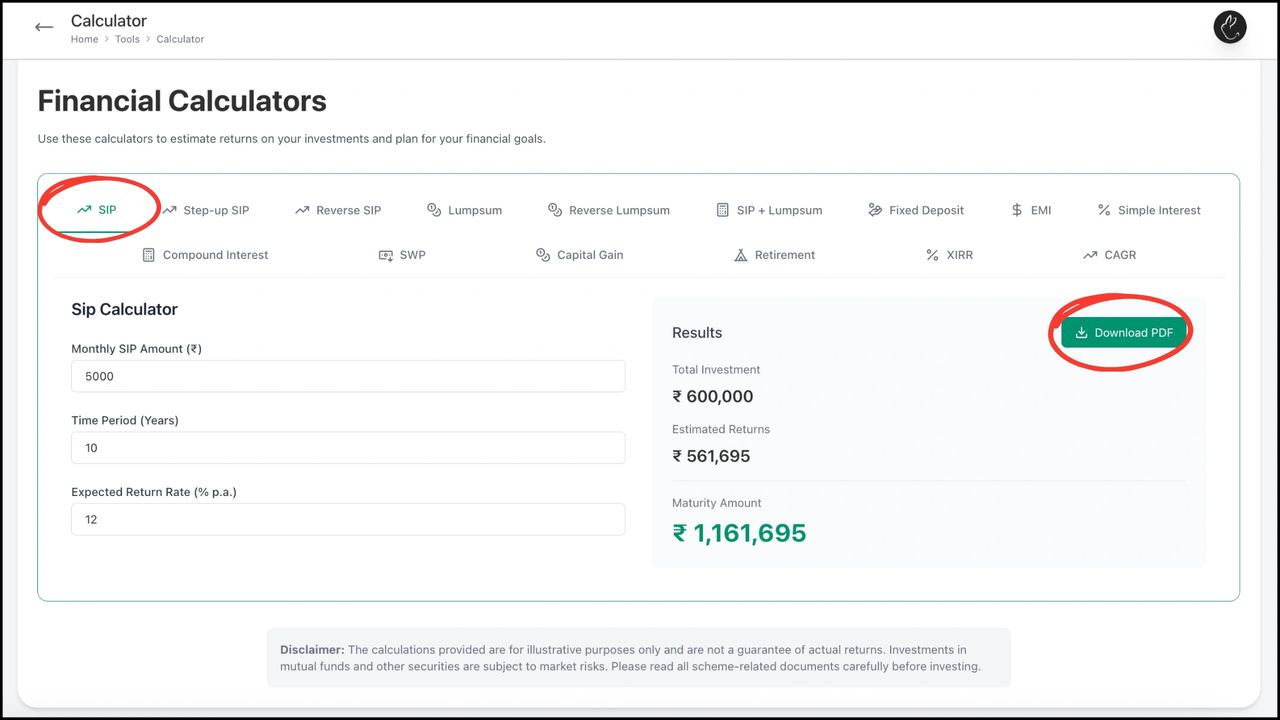
BACK Use Advanced Calculators with Rabbit Invest Advanced calculators are powerful tools used by mutual fund distributors and financial advisors to provide deeper insights, personalized advice, and
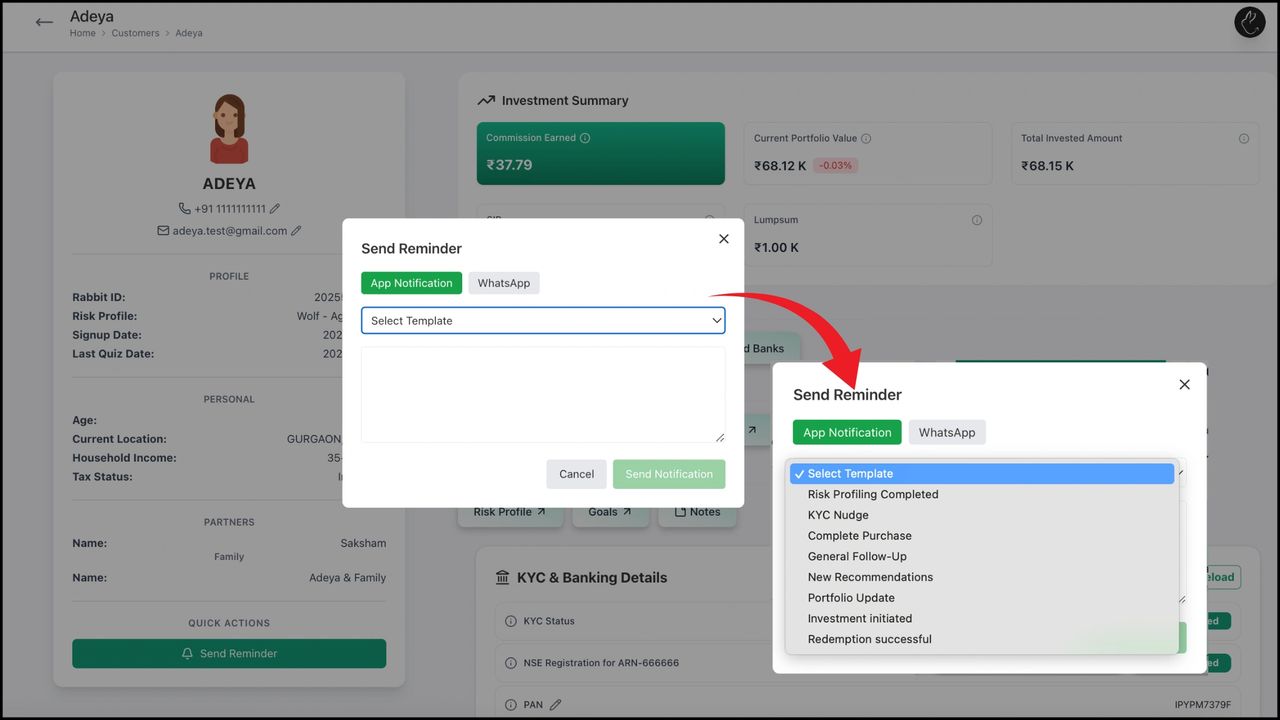
BACK Send App & WhatsApp Reminders and Notifications One of the most essential features of our platform is the ability to send in-app and WhatsApp notifications to clients. Instead of scattered

BACK New to the Rabbit Invest App? This doc covers the essential first steps so you can quickly set up your account, explore core features, and begin managing your tasks with confidence. 1. To sign up on the customer app, enter your mobile number and
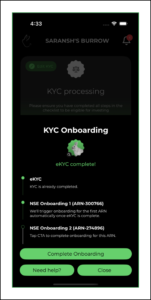
BACK Completing KYC helps us verify your identity and activate full access to the app. You’ll need to enter your personal details, which will hardly take 5 minutes. Once submitted, your KYC status will update after review. 1. To complete your KYC,

Risk profiling is a simple assessment that measures how much investment risk you’re comfortable taking based on factors like your goals, time horizon, income, and experience. Your answers help us recommend fund options that align with your profile
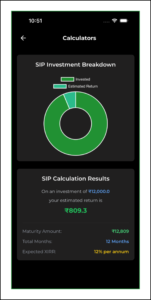
Use Rabbit Invest Calculators to plan smarter—estimate contributions, expected returns, tenure-based growth, or repayment schedules. Results update in real time as you change the inputs, so you can compare scenarios easily. 1. Click on the
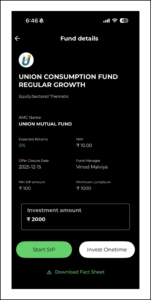
BACK Looking for the latest NFOs? This section helps you discover and track ongoing New Fund Offers with essential information such as offer period, fund category, and basic scheme details, so you can explore options quickly and start investing 1.
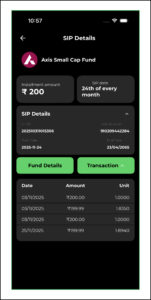
BACK With Portfolio Tracking, you can easily follow how your investments are doing. See an overview summary, tap any holding to view detailed performance, units, NAV updates, and past transactions. 1. Click on ‘Track your Portfolio’ tab
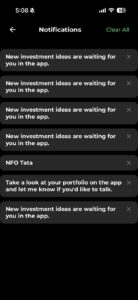
BACK Don’t want to miss an update? Notifications & Reminders keep you informed about key events like NFO closing dates, completed payments, or pending actions. 1. Go to ‘Settings’ on your device. Search for ‘Rabbit