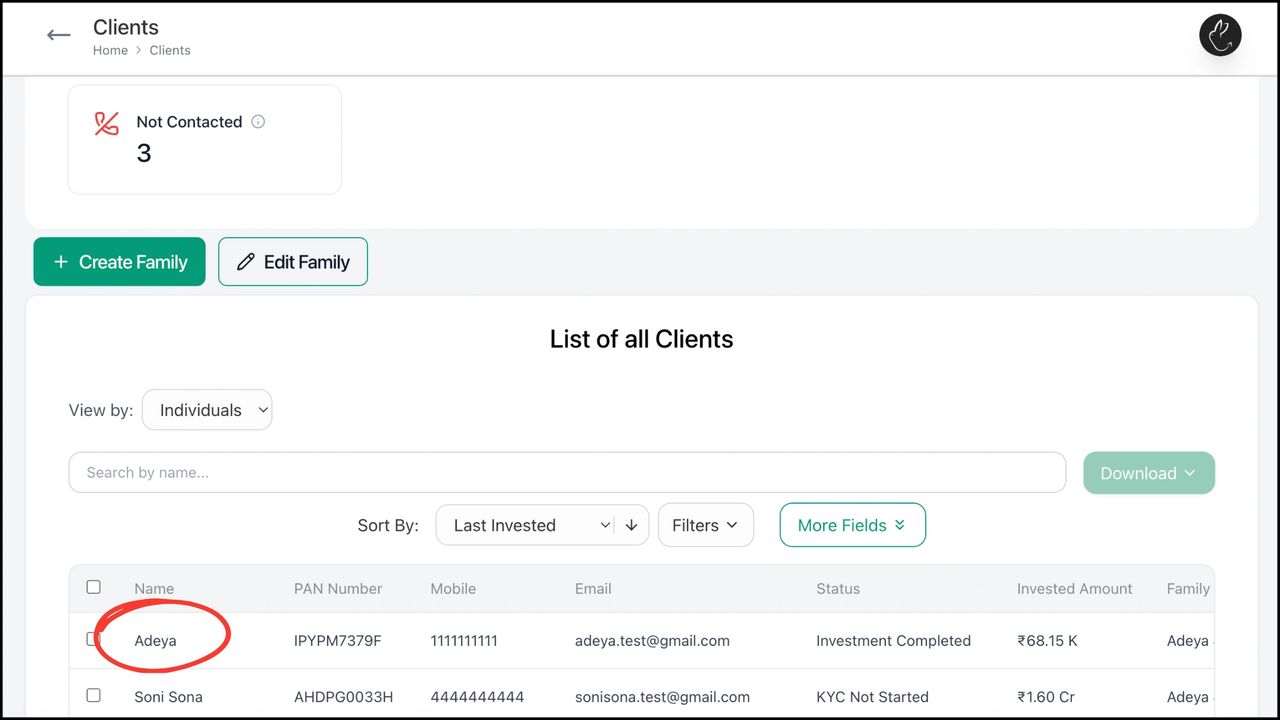
1. Click on Clients tab in your dashboard. Under ‘List of all Clients’, search/ click on the client for whom you want to make the redemption for
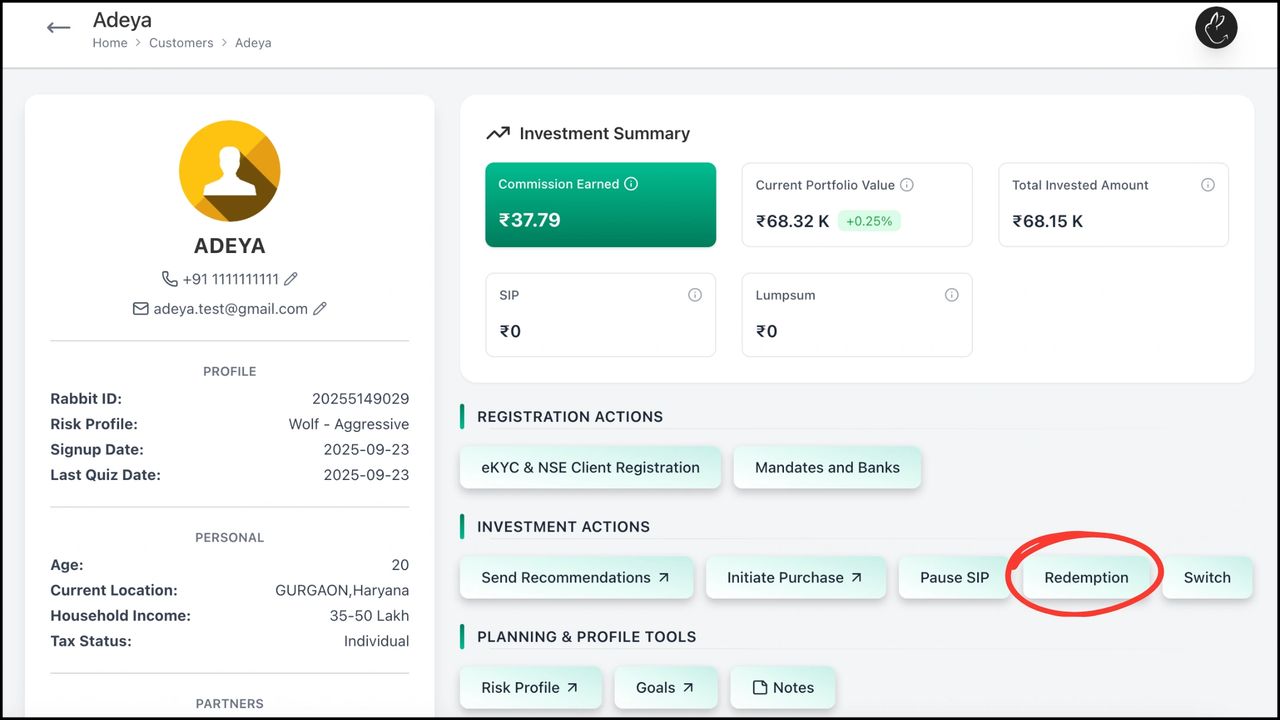
2. Click on ‘Redemption’
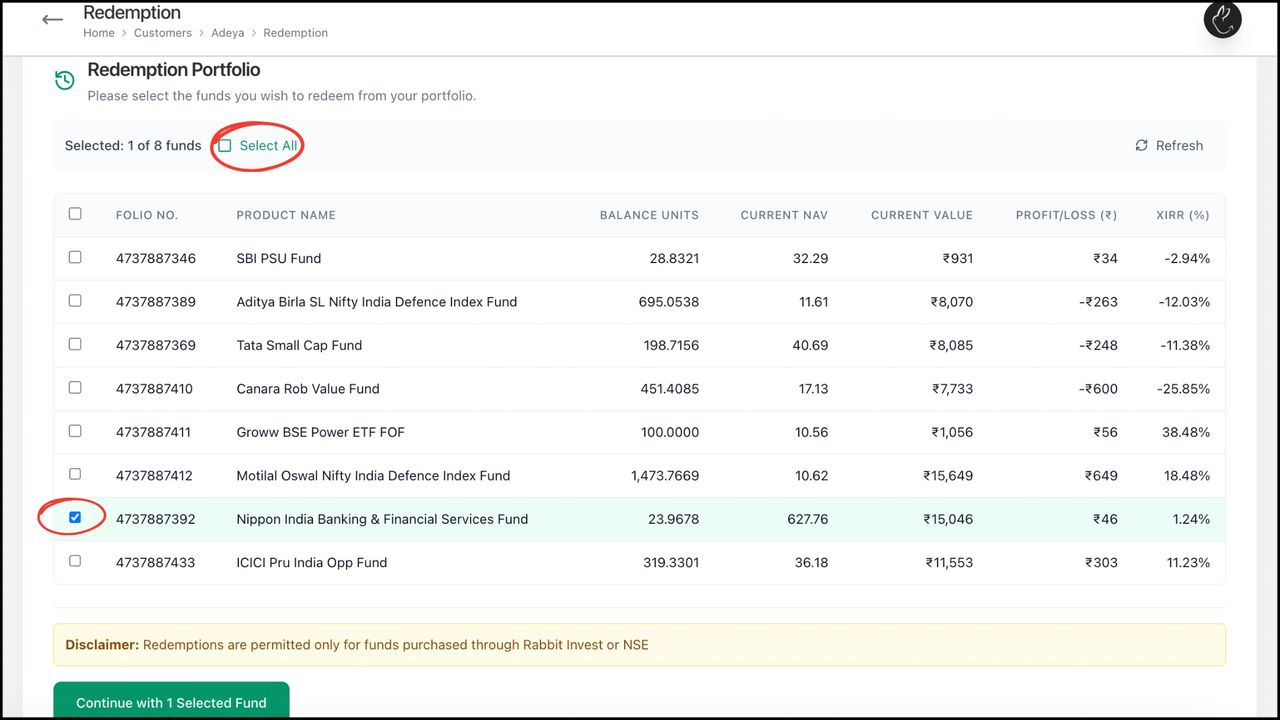
3. Select funds that you want to redeem. Then, click on ‘Continue’
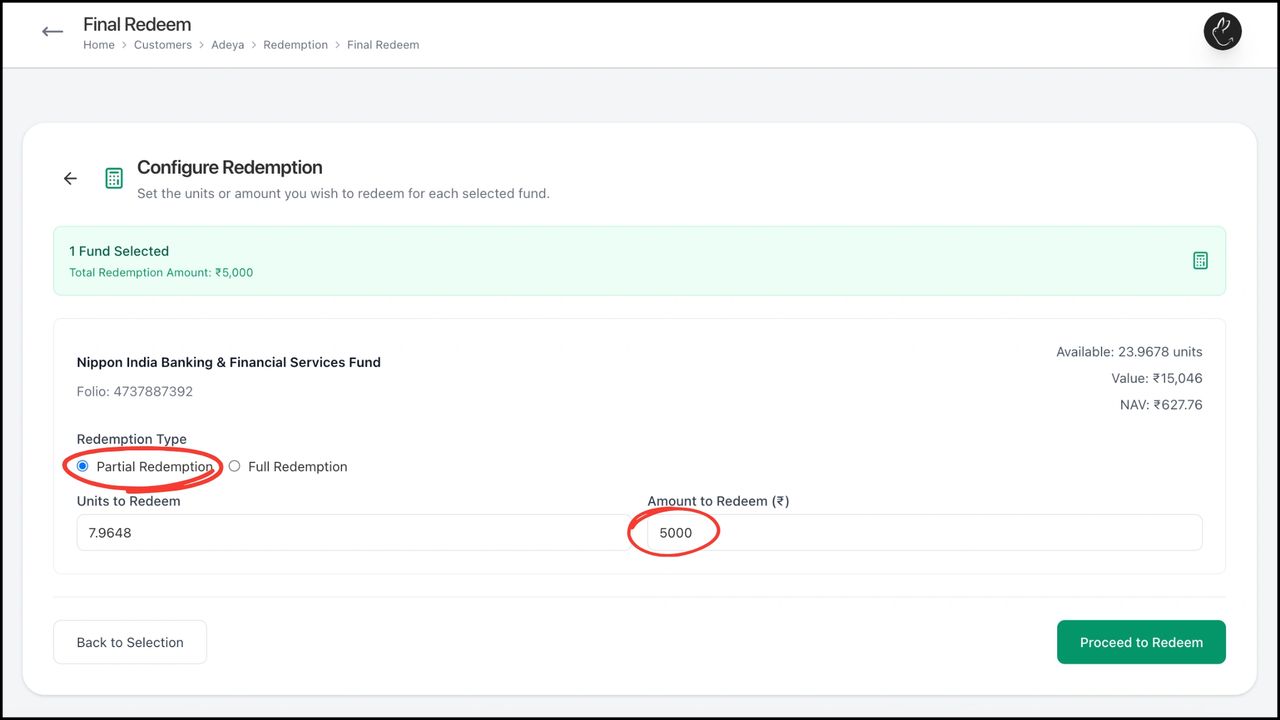
4. Select from ‘Partial/ Full Redemption’. You can either enter ‘Units to Redeem’ (it will auto calculate amount to redeem) or ‘Amount to Redeem’ (it will auto calculate units to redeem). Click on ‘Proceed to Redeem’
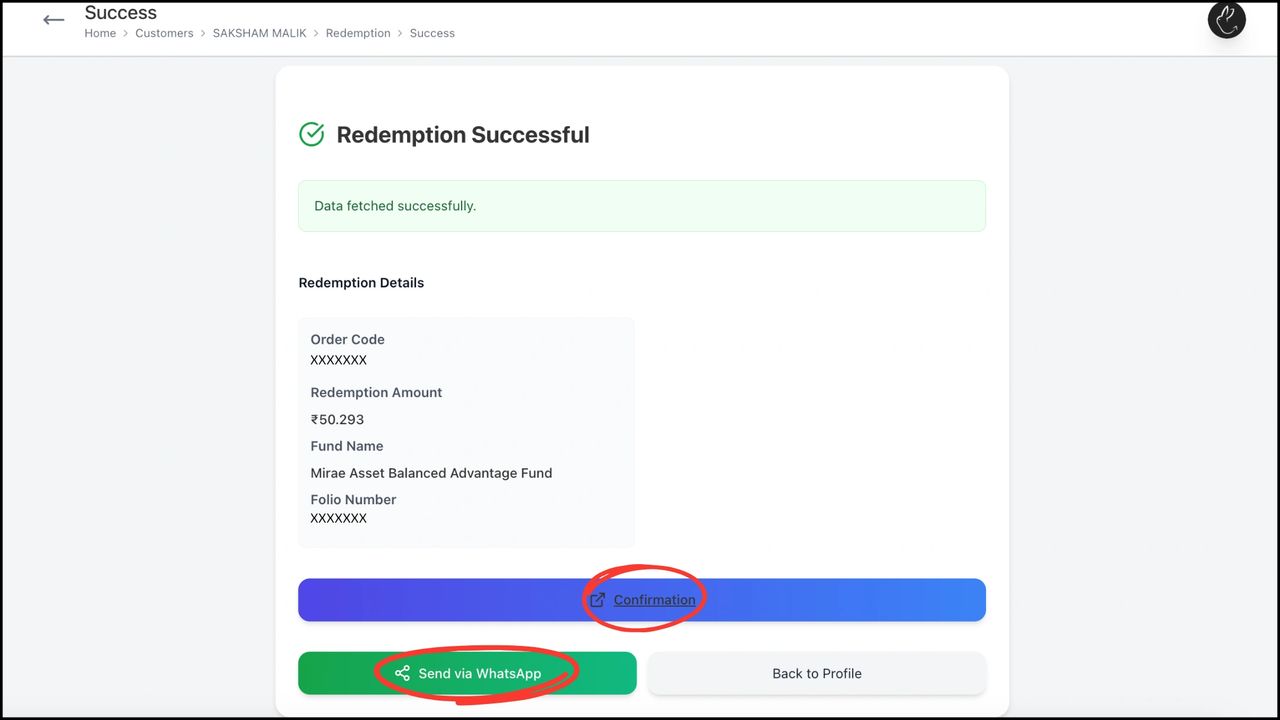
5. You can notify the client by App Notification or WhatsApp nudge. There is a redemption successful message by default, which is editable as per your choice
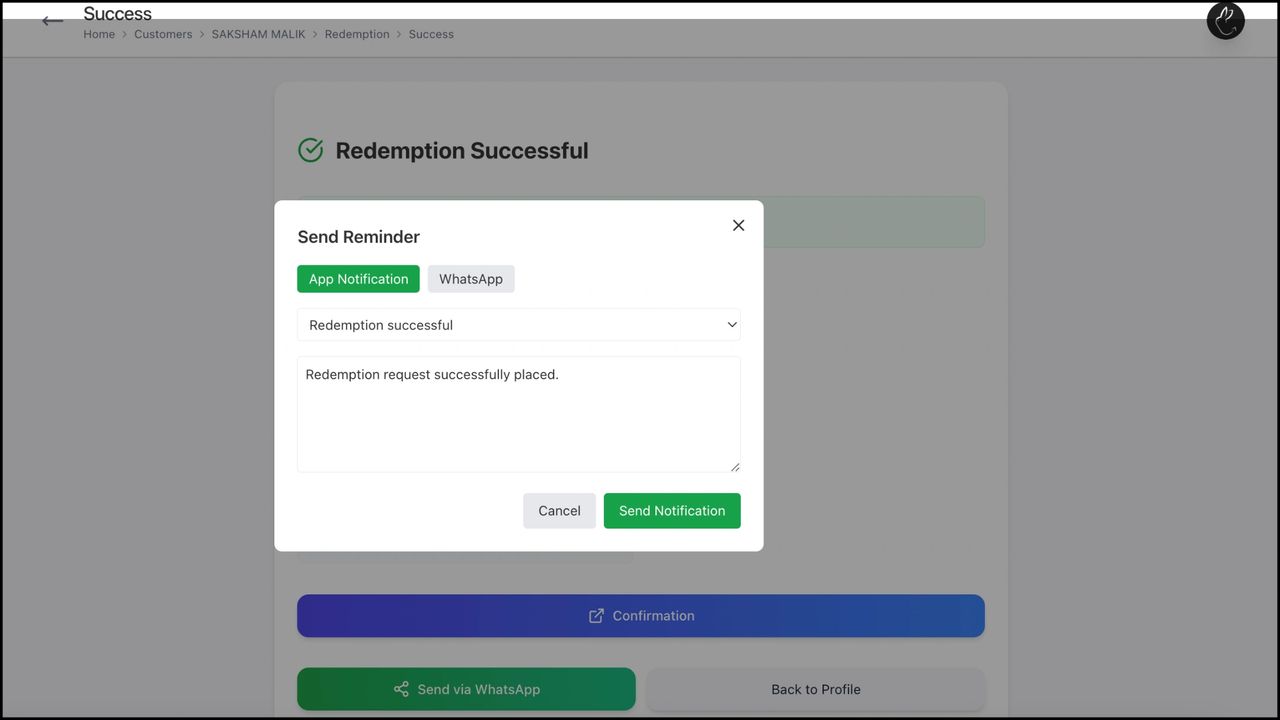
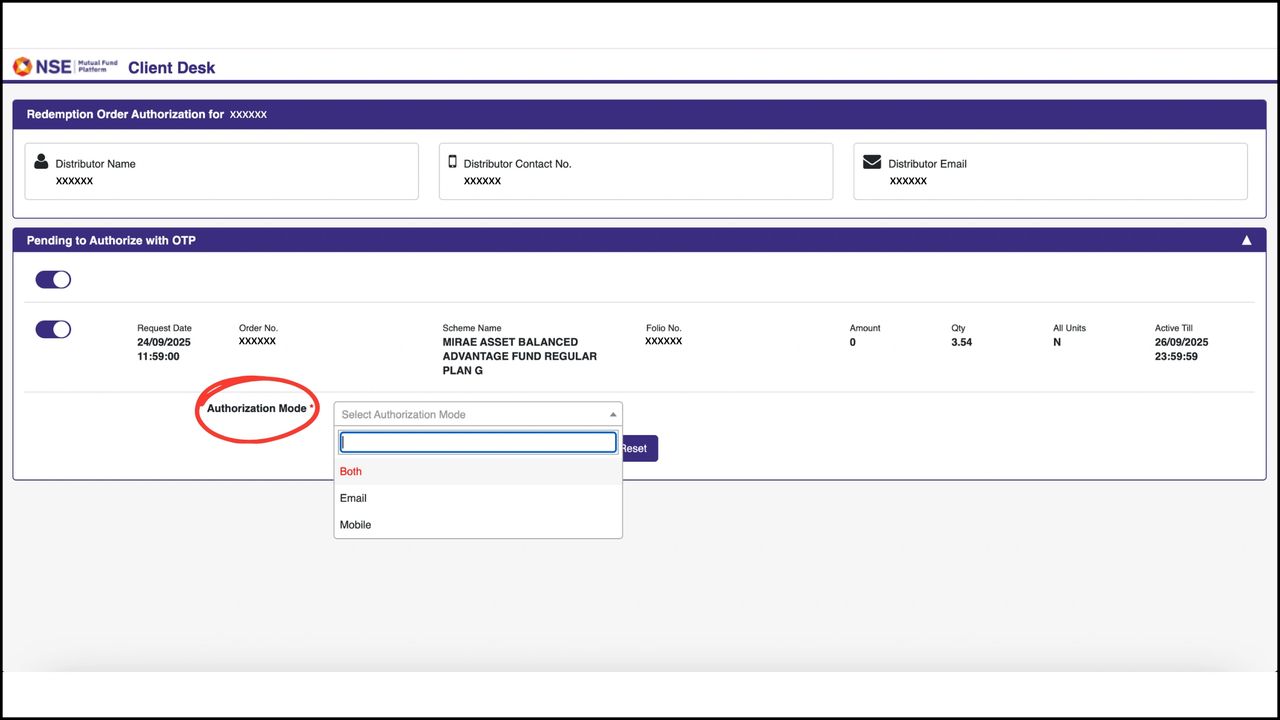
6. ‘Redemption Successful’ indicates that redemption confirmation has been initiated by NSE to the client. It can either be authorized from client end or you can click on ‘Confirmation’. It redirects you to NSE page, where you can enter the OTP received by your client and complete the process on your own