Looking for the latest NFOs? This section helps you discover and track ongoing New Fund Offers with essential information such as offer period, fund category, and basic scheme details, so you can explore options quickly and start investing

1. Click on ‘Invest in NFOs’ tab on the home page
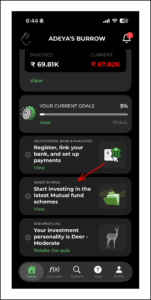
Click on 'Invest in NFOs' tab on the home page

2. You can explore the listed NFOs or search for a particular fund or simply refine your search using smart filters
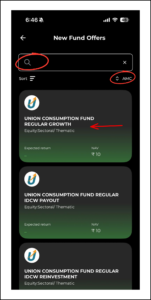
You can explore the listed NFOs or search for a particular fund or simply refine your search using smart filters

3. If you click on a particular fund’s tab, you can see the fund details and start investing


If you click on a particular fund's tab, you can see the fund details and start investing

Posts

How to get started with Rabbit Invest app?

BACK New to the Rabbit Invest App? This doc covers...

How to complete KYC using Rabbit Invest app?

BACK Completing KYC helps us verify your identity...

Create, Edit, and Manage Family with Rabbit Invest

BACK Create, Edit, and Manage Family with Rabbit...