
1. Go to ‘Settings’ on your device. Search for ‘Rabbit Invest’. Make sure that all ‘notifications’ of the app are turned on
2. The ‘bell icon’ on the top right corner of the home page is where you can access all app notifications and reminders sent by your distributor
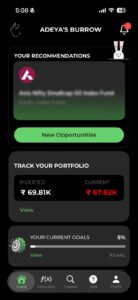
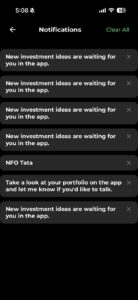
3. Upon clicking on the bell icon, you can see the list of notifications and reminders
BACK Create, Edit, and Manage Family with Rabbit...