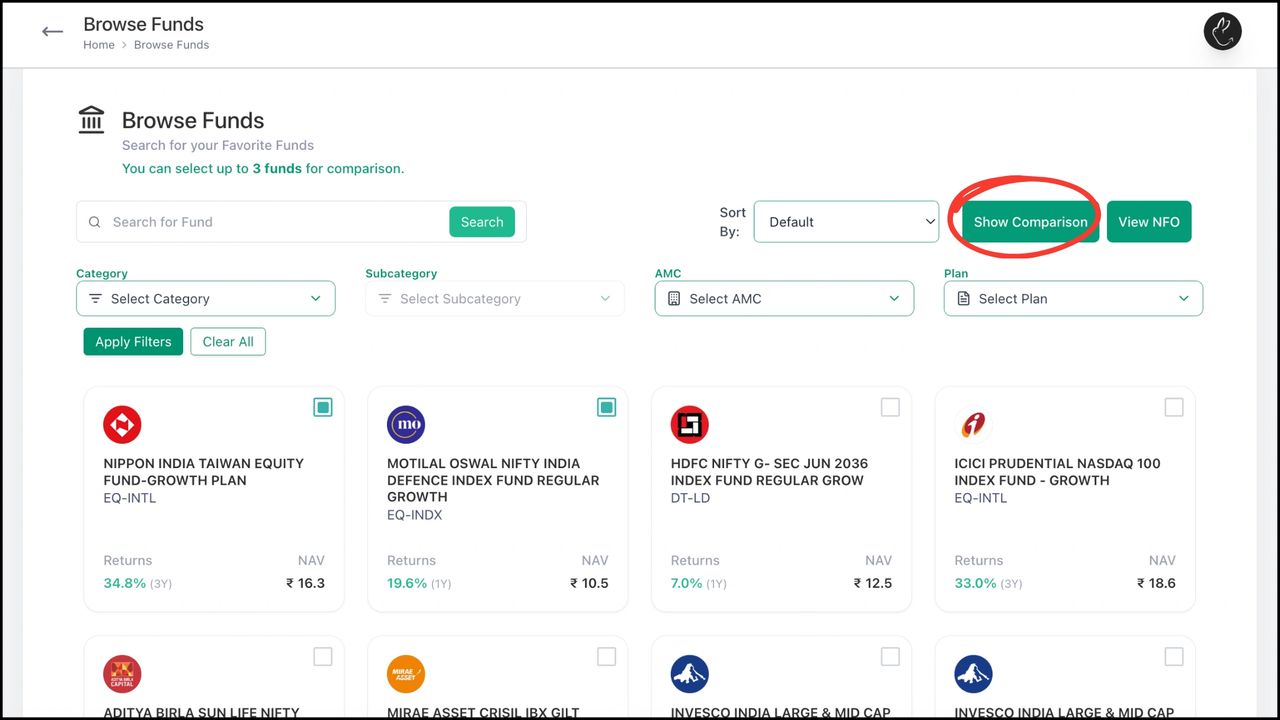
The Browse Funds feature gives users a seamless way to explore the full universe of available mutual fund options. With intuitive filters, smart search, and detailed fund profiles, distributors can quickly identify funds that match their preferred strategy, risk appetite, and objectives.
Alternatively, you can browse funds without login as well.
1. Click on the Browse Funds tab in your dashboard
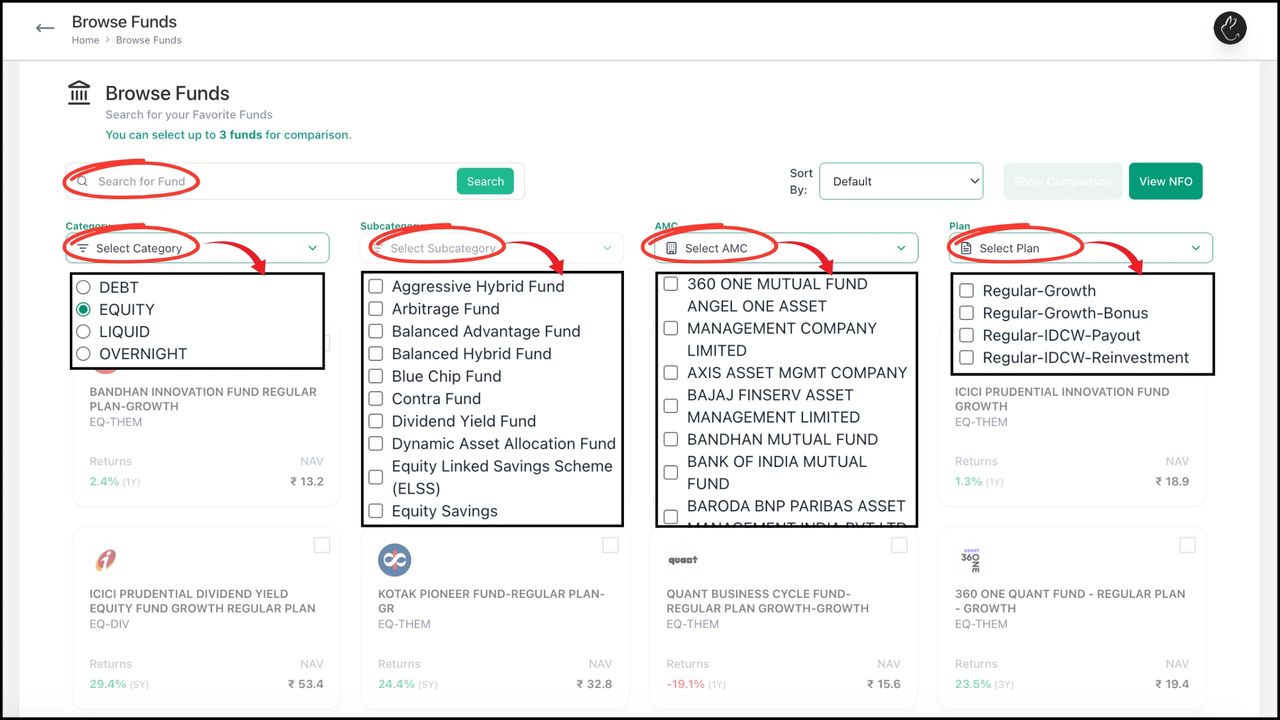
2. You can either directly ‘Search for Fund’ or use smart filters like selection of ‘Category’, ‘Subcategory’, ‘AMC’, or ‘Plan’
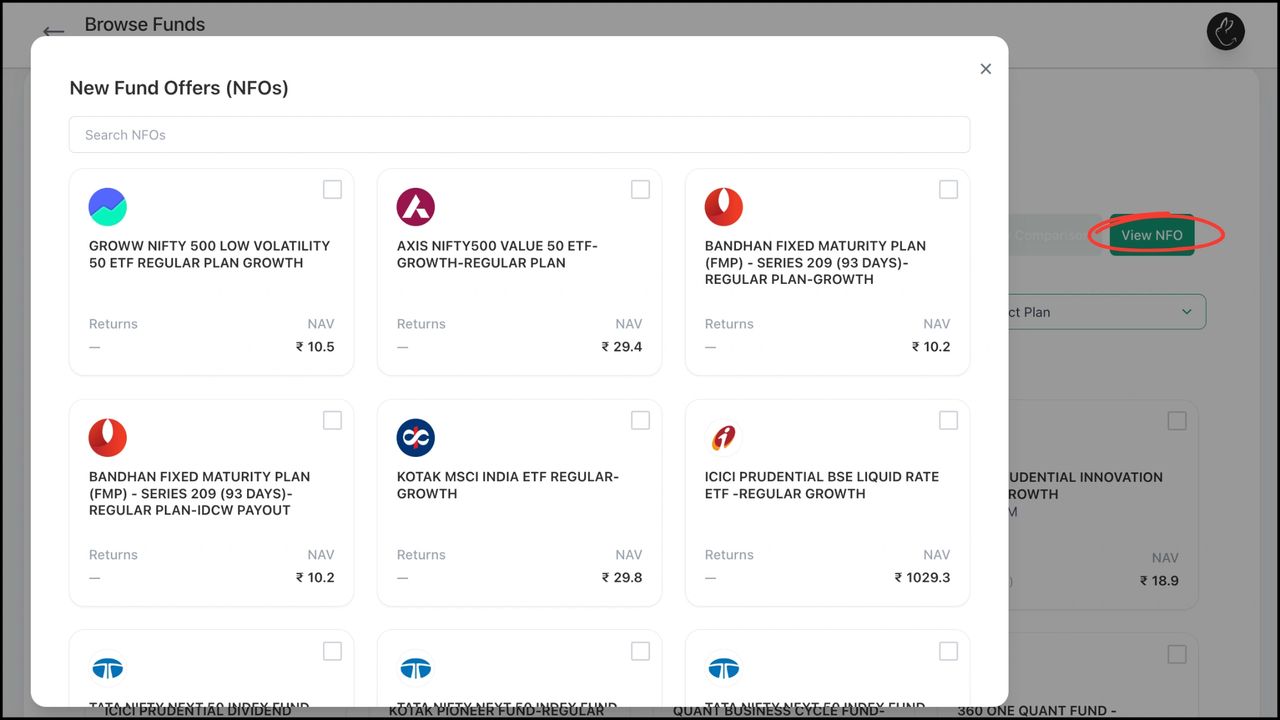
3. You can view latest NFOs by clicking on ‘View NFO’
4. You can click on a particular fund for detailed insights. You can also select multiple funds (upto 3) and compare them by clicking on ‘Show Comparison’