Create, Edit, and Manage Family with Rabbit Invest

Distributors often manage portfolios for multiple members of a family. “Family” feature helps to get a consolidated view of the household. 

Group clients of the same family for a consolidated view of portfolio status, wealth, asset allocation, and financial goals. 

1. Go to the Clients tab on your dashboard. Click on the ‘Create Family’ to create a new family
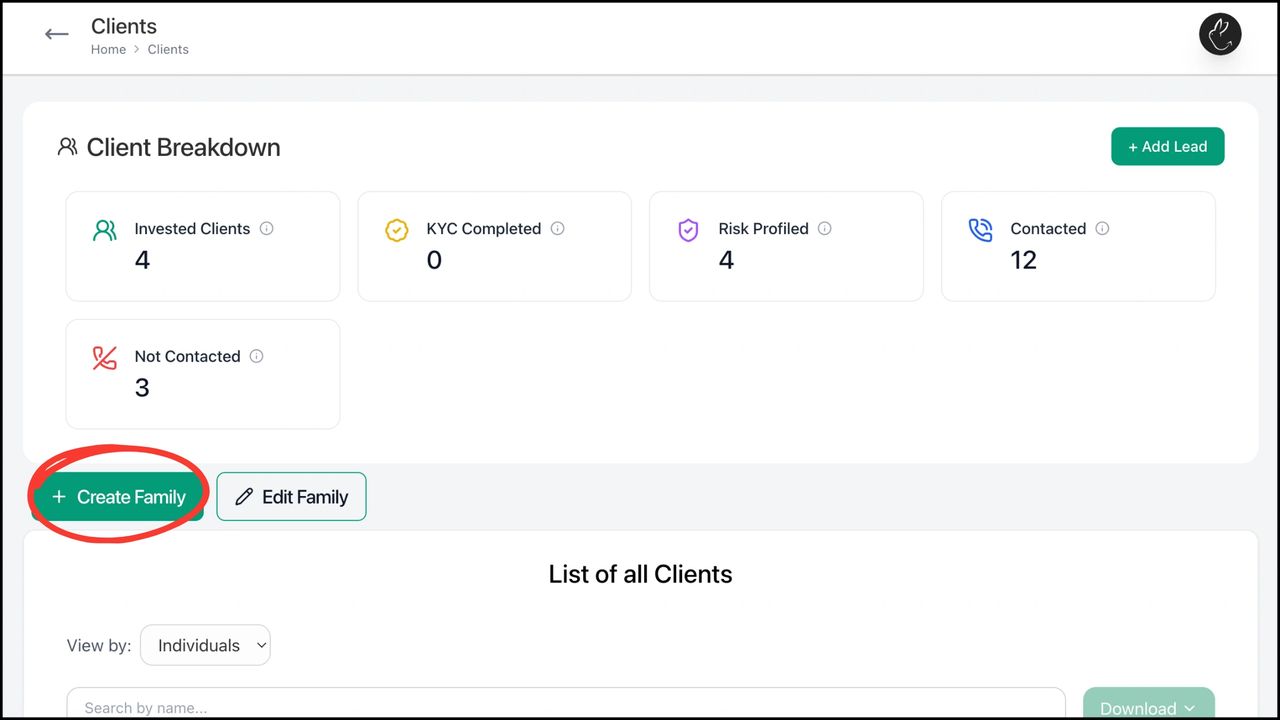
Go to the Clients tab on your dashboard. To create a new family, click on the ‘Create Family’

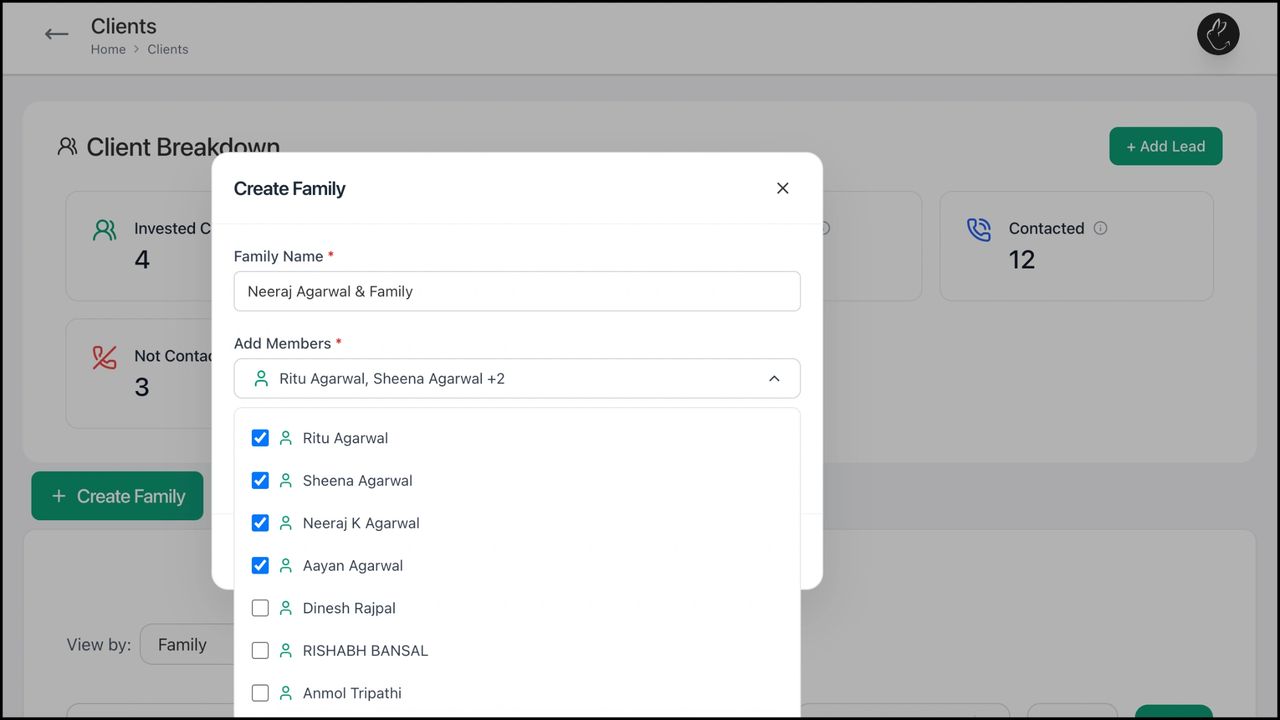
2. Popup to create family opens. Input ‘Family Name’ with which you want to identify the family. ‘Add Members’ to the family by choosing the family members from the drop-down list of clients

Popup to create family opens. Input ‘Family Name’ with which you want to identify the family. ‘Add Members’ to the family by choosing the family members from the drop-down list of clients
3. Recheck details and click on ‘Create Family’
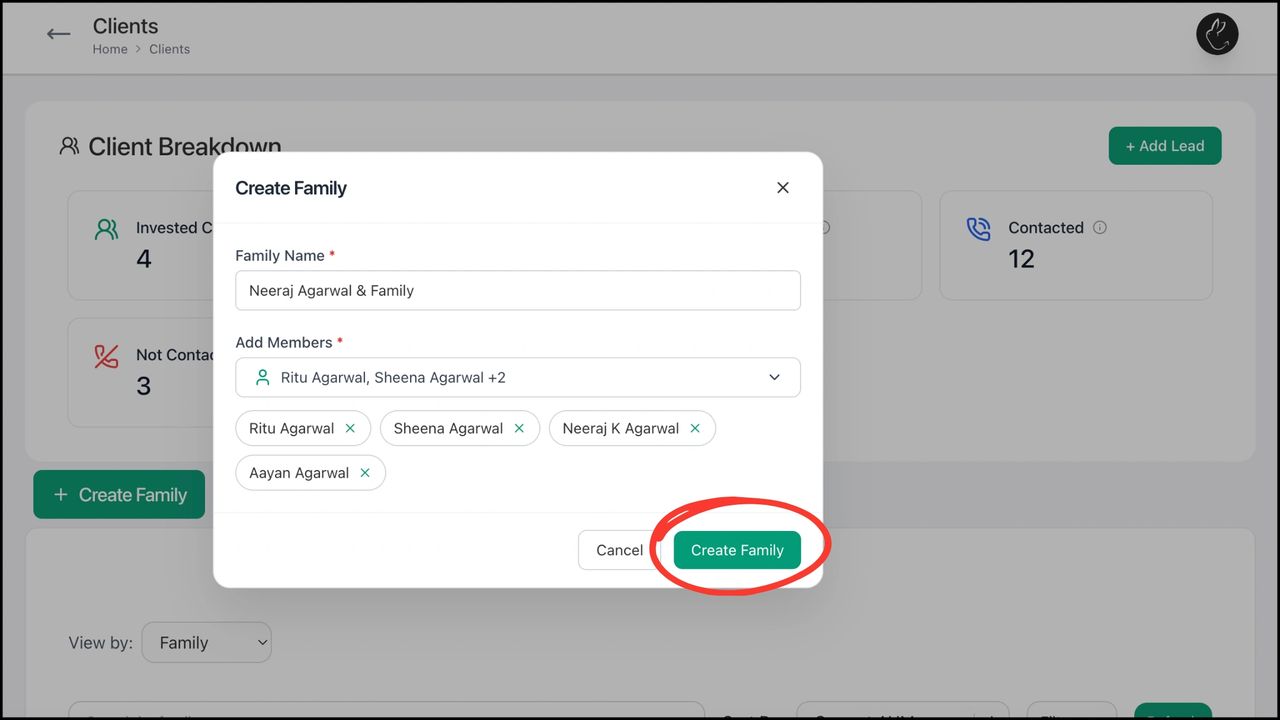
Recheck details and click on ‘Create Family’

4. To edit an existing family, click on ‘Edit Family’
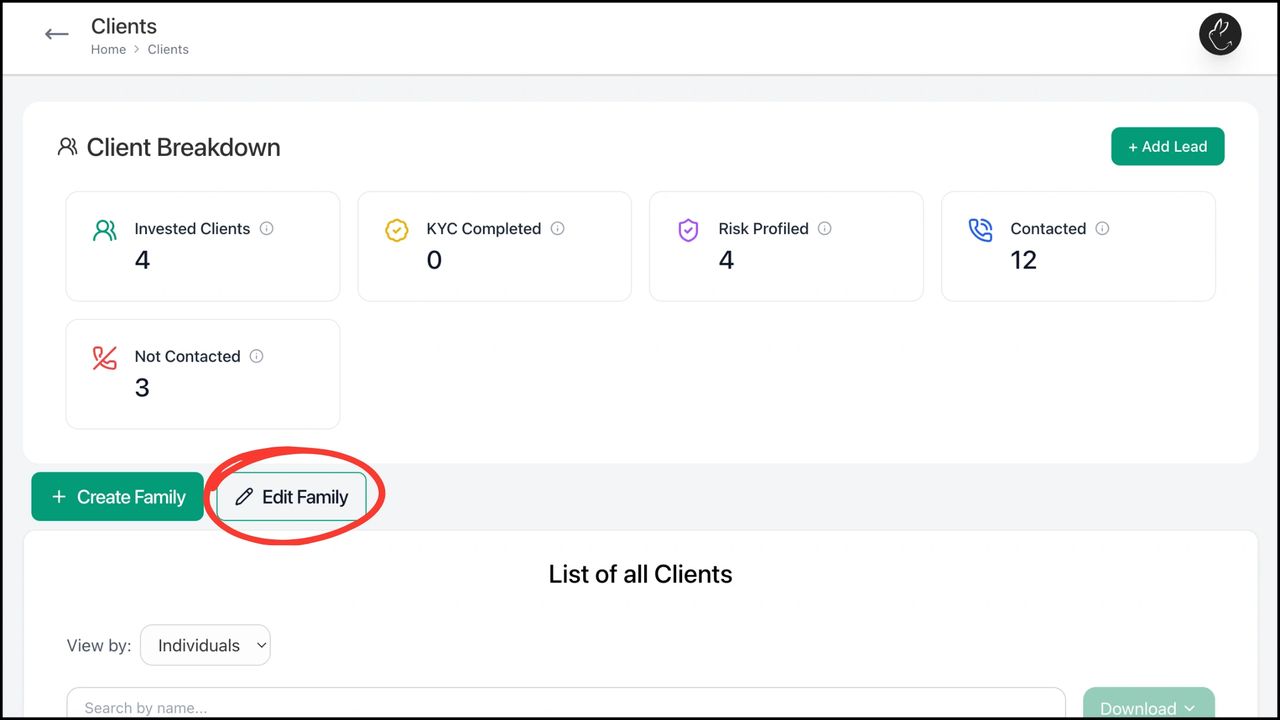
To edit an existing family, click on ‘Edit Family’

5. Popup to edit family opens. Select the family that you want to edit from the drop-down menu
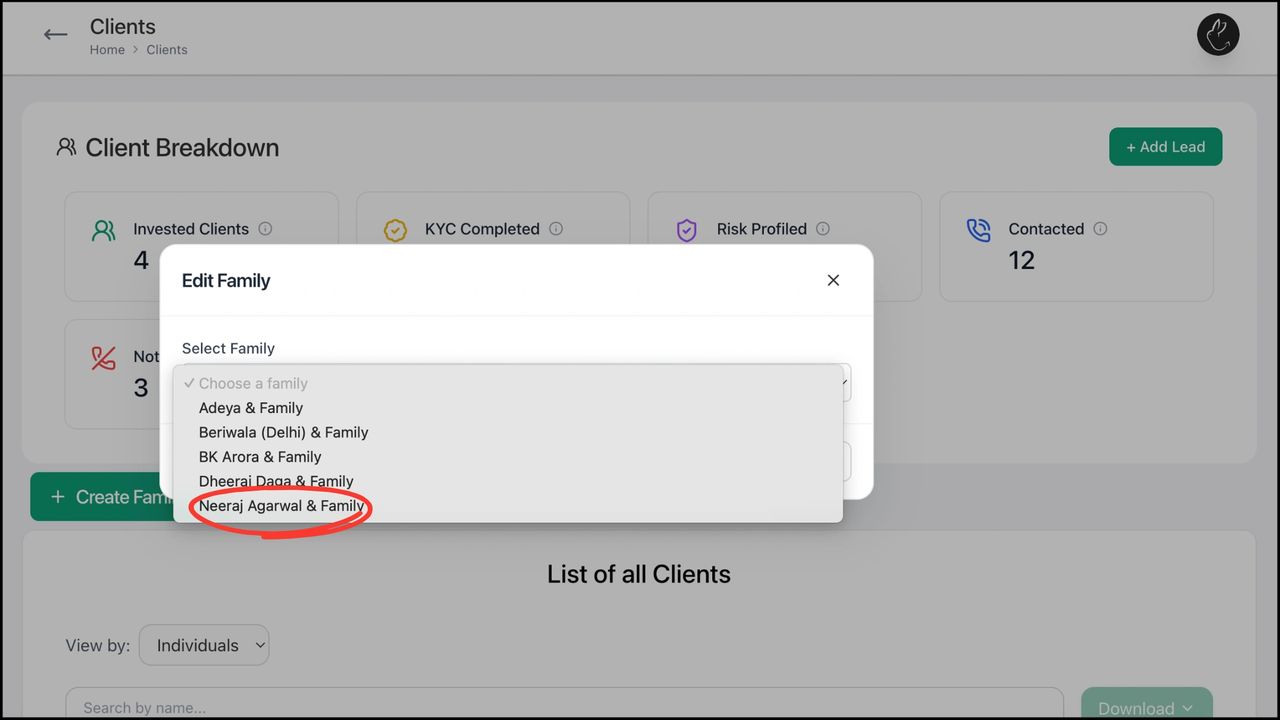
Popup to edit family opens. Select the family that you want to edit from the drop-down menu

6. You can rename the family, add/ delete family members, or remove the whole family
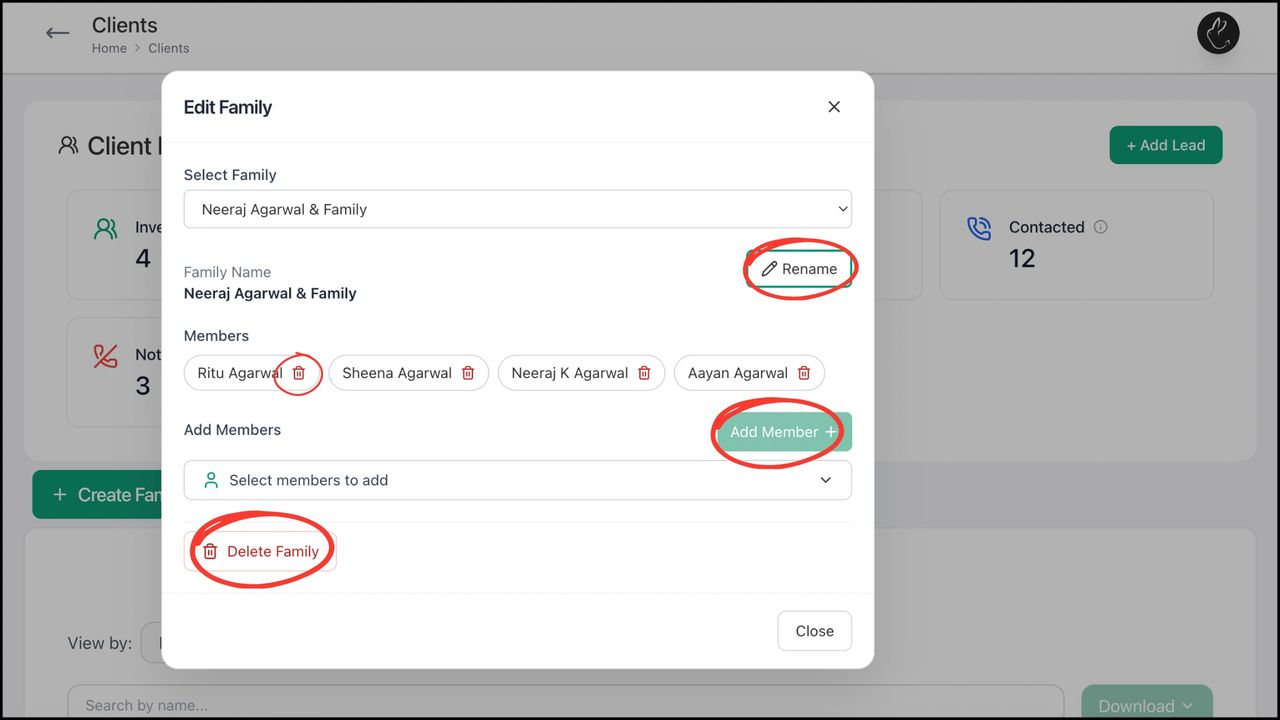
You can rename the family, add/ delete family members, or remove the whole family

Posts

How to get started with Rabbit Invest app?

BACK New to the Rabbit Invest App? This doc covers...

How to complete KYC using Rabbit Invest app?

BACK Completing KYC helps us verify your identity...

Create, Edit, and Manage Family with Rabbit Invest

BACK Create, Edit, and Manage Family with Rabbit...

Leave a Reply

Your email address will not be published. Required fields are marked *