
Assess fund consistency and competition by comparing multiple funds to provide the best to your client. Compare against category peers and benchmarks across market cycles. Consider sector/ stock analysis, or view the fund’s factsheet.
1. Click on Browse Funds tab on your dashboard.
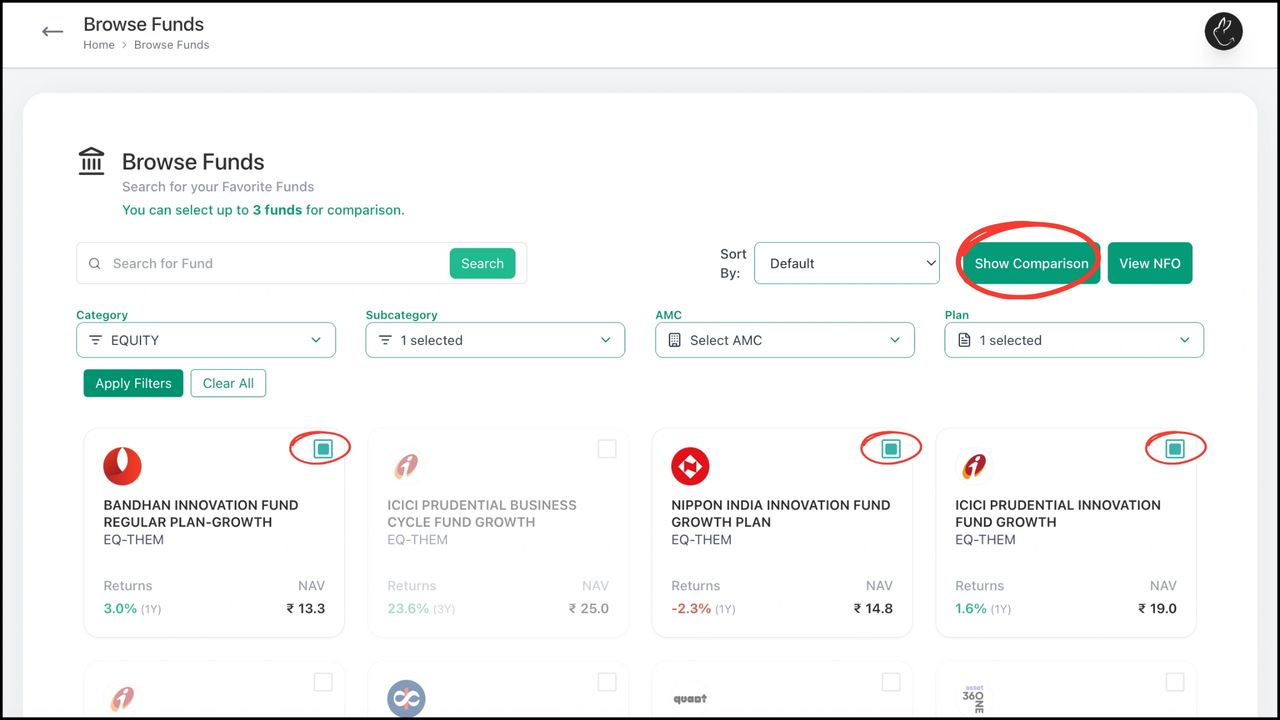
2. Select or search the funds that you want to compare (up to 3 funds). Click on ‘Show Comparison’
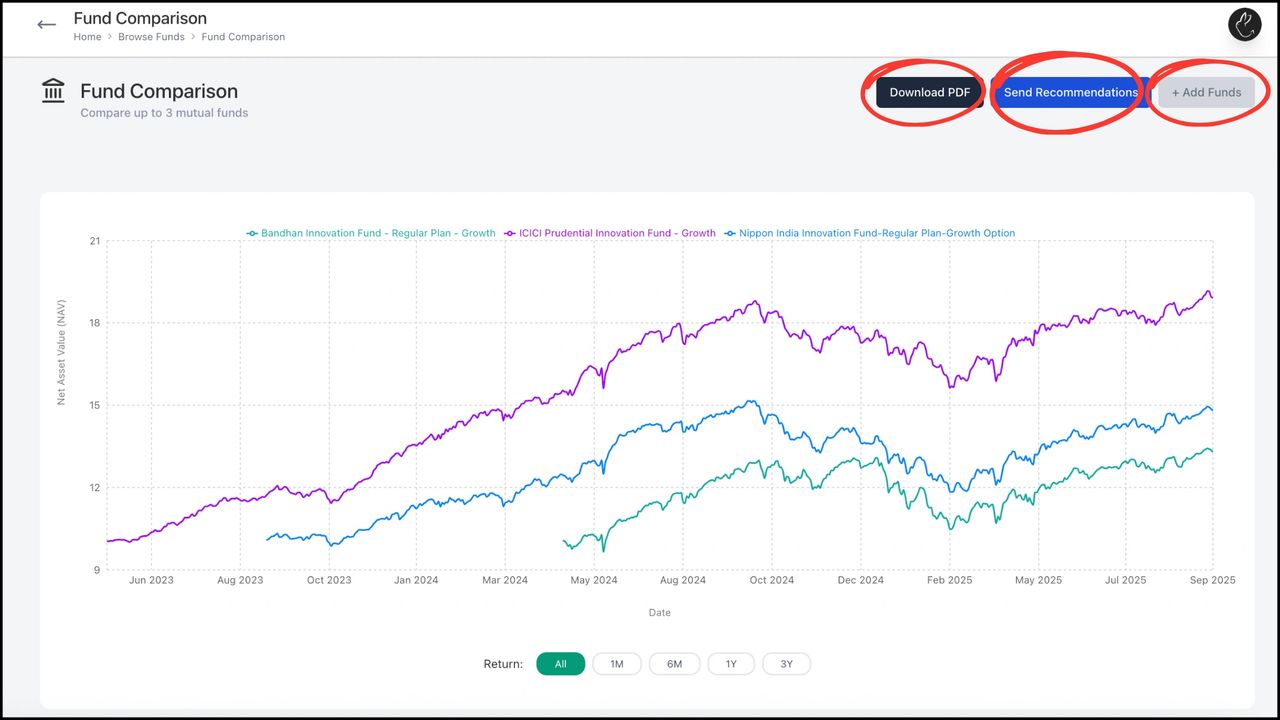
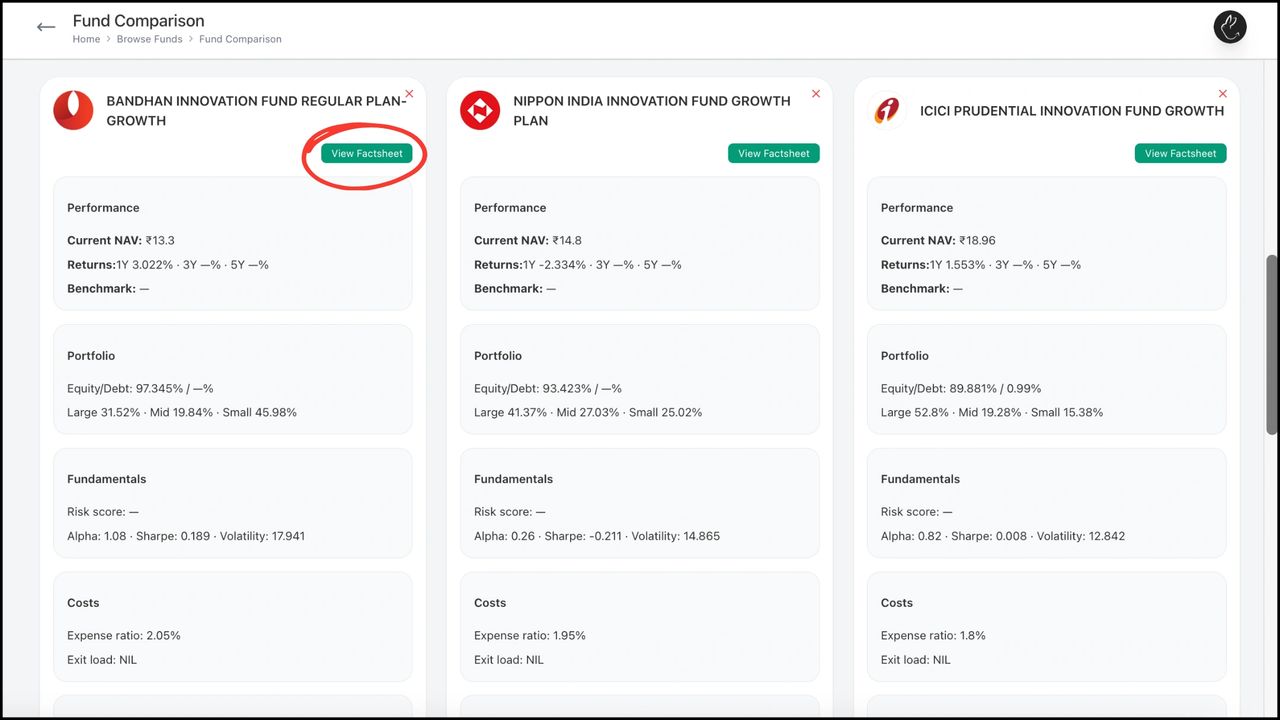
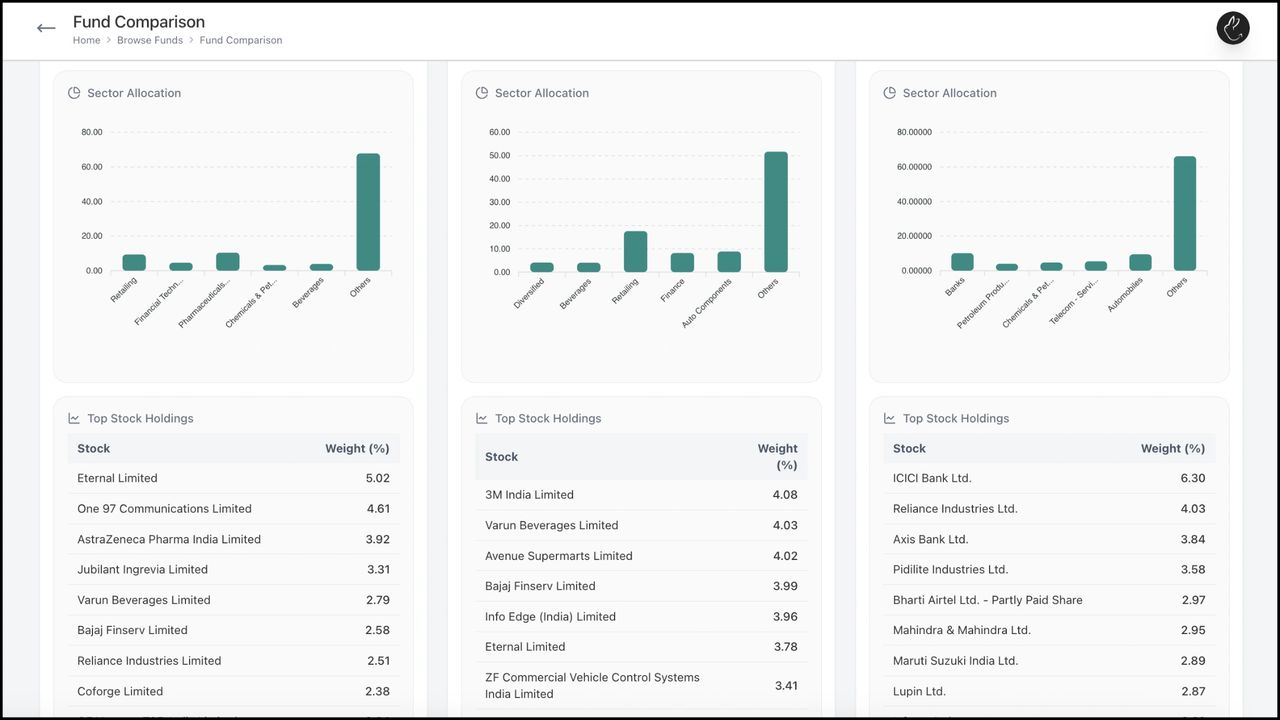
3. This page shows fund comparison in the form of NAV returns. If you scroll down, you also see fund information on various metrics, including sector allocation, stocking holdings, and much more. You can download this data or send it as recommendations to your clients
BACK Create, Edit, and Manage Family with Rabbit...