
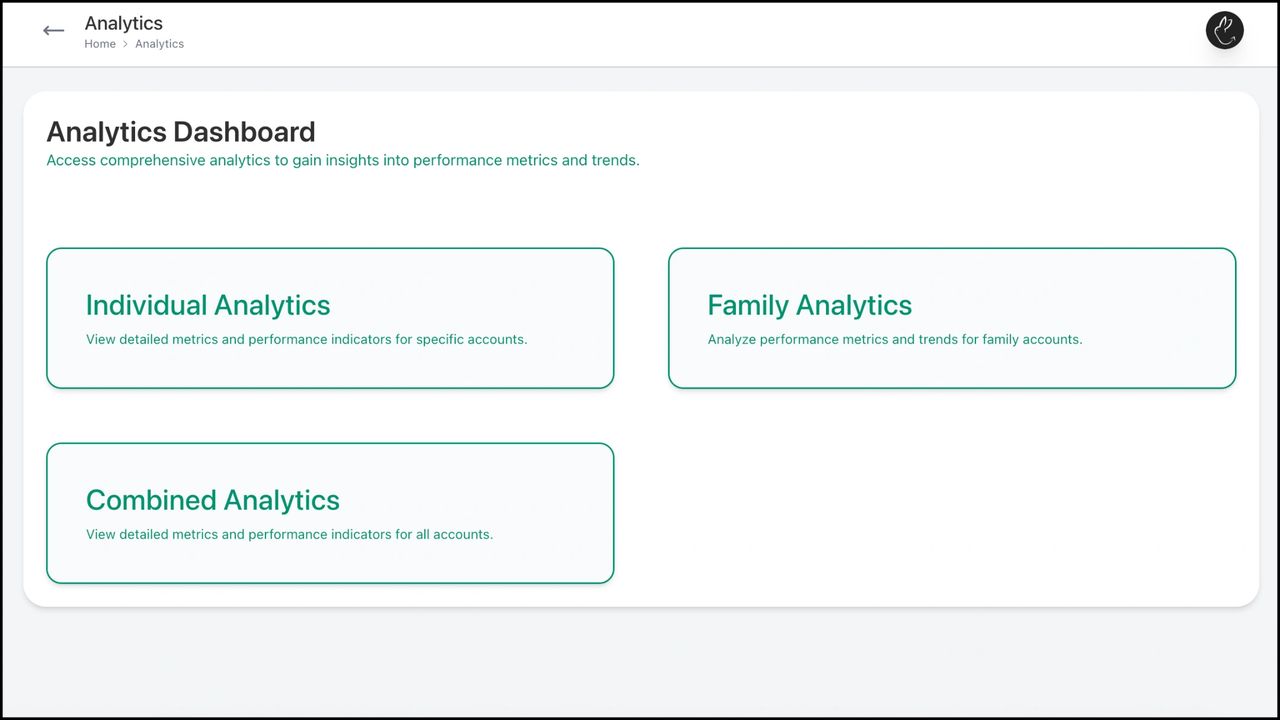
Rabbit Invest gives performance insights and trends on an individual, family, and business level. Individual Analytics gives insights for a particular client. Family Analytics gives insights of a particular family as a whole while Combined Analytics gives insights into your entire business.
1. Click on the Analytics tab in your dashboard. Choose ‘Combined Analytics’
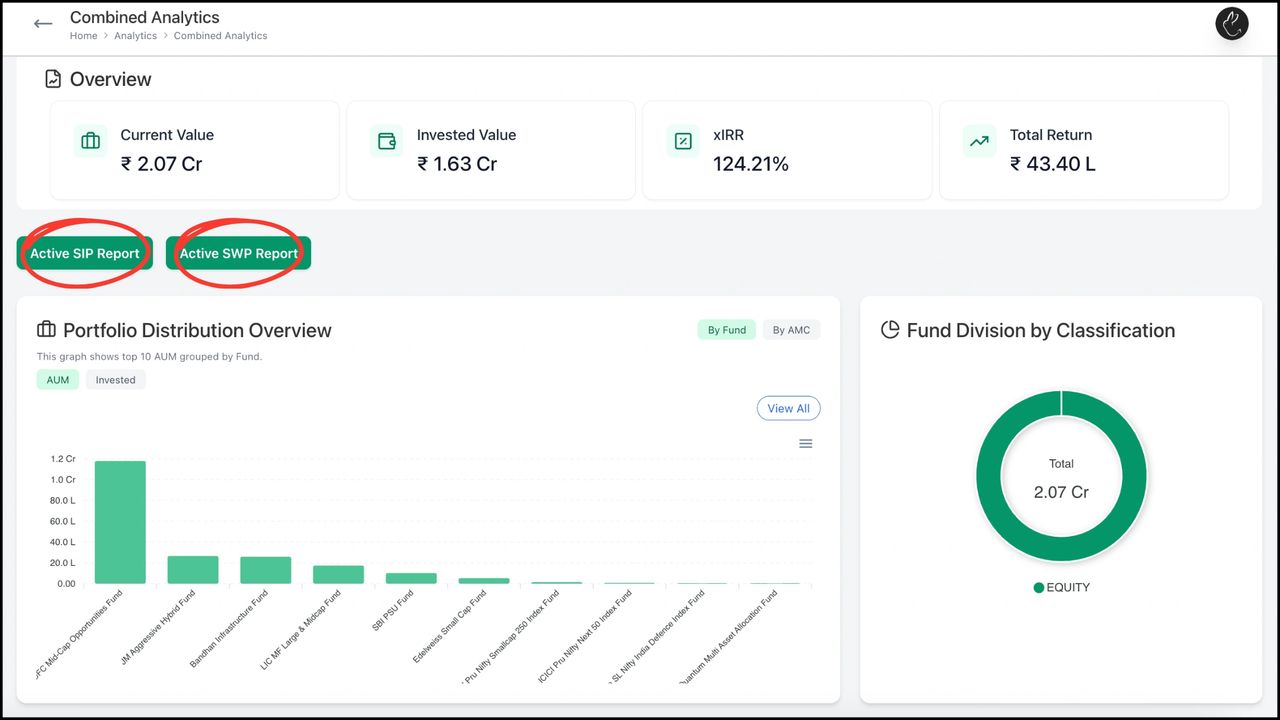
2. You can see an ‘Overview’ of your business analytics. You can also request and download multiple reports
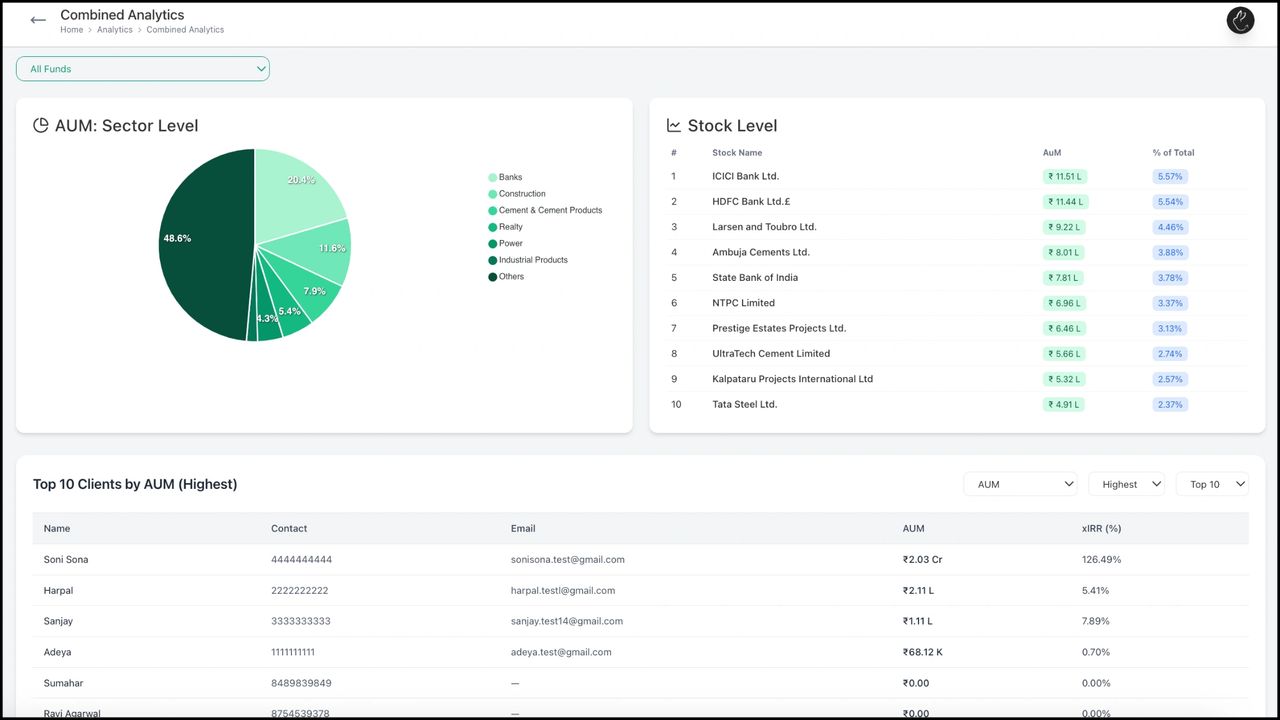
3. You can see various technical analysis, sector- stock level performance, and also put filters for smart assessment

BACK Create, Edit, and Manage Family with Rabbit...