
One of the most essential features of our platform is the ability to send in-app and WhatsApp notifications to clients. Instead of scattered reminders and notifications that often get ignored, Rabbit offers distributors the option to send “one-click” reminders to their clients.
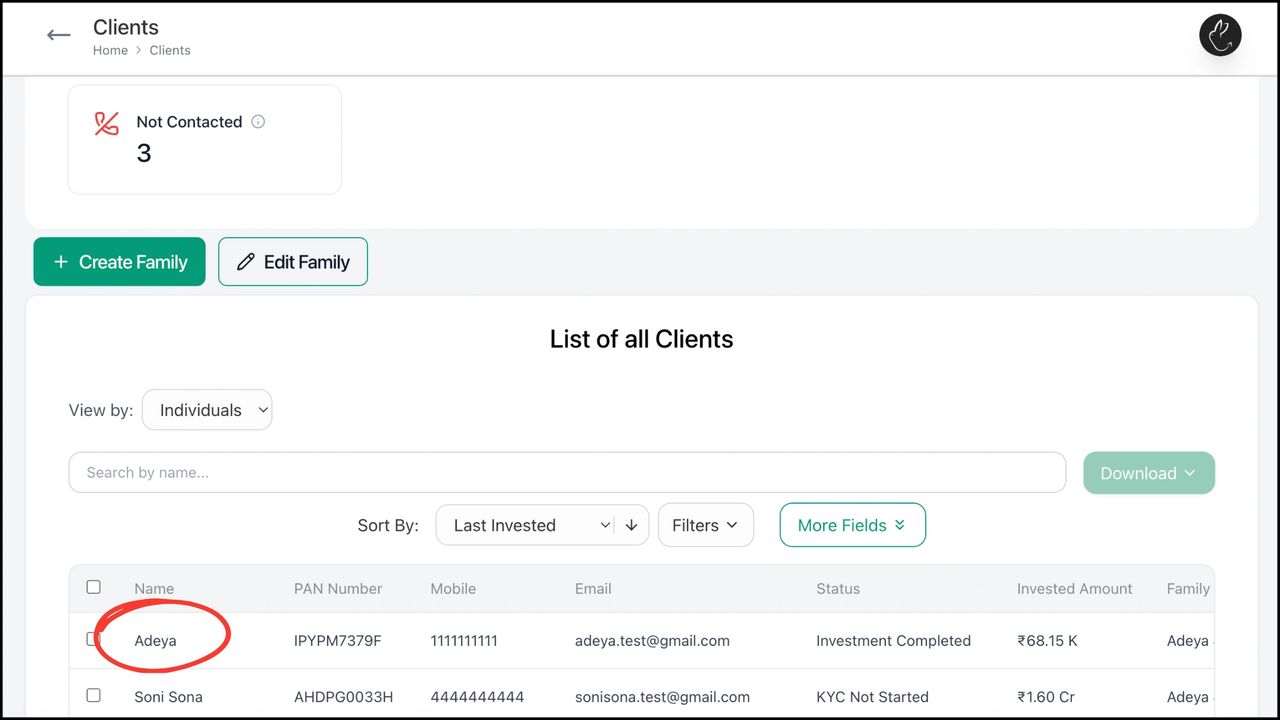
1. Click on Clients tab on your dashboard. Select the client you want to send a reminder/notification to within the list of clients
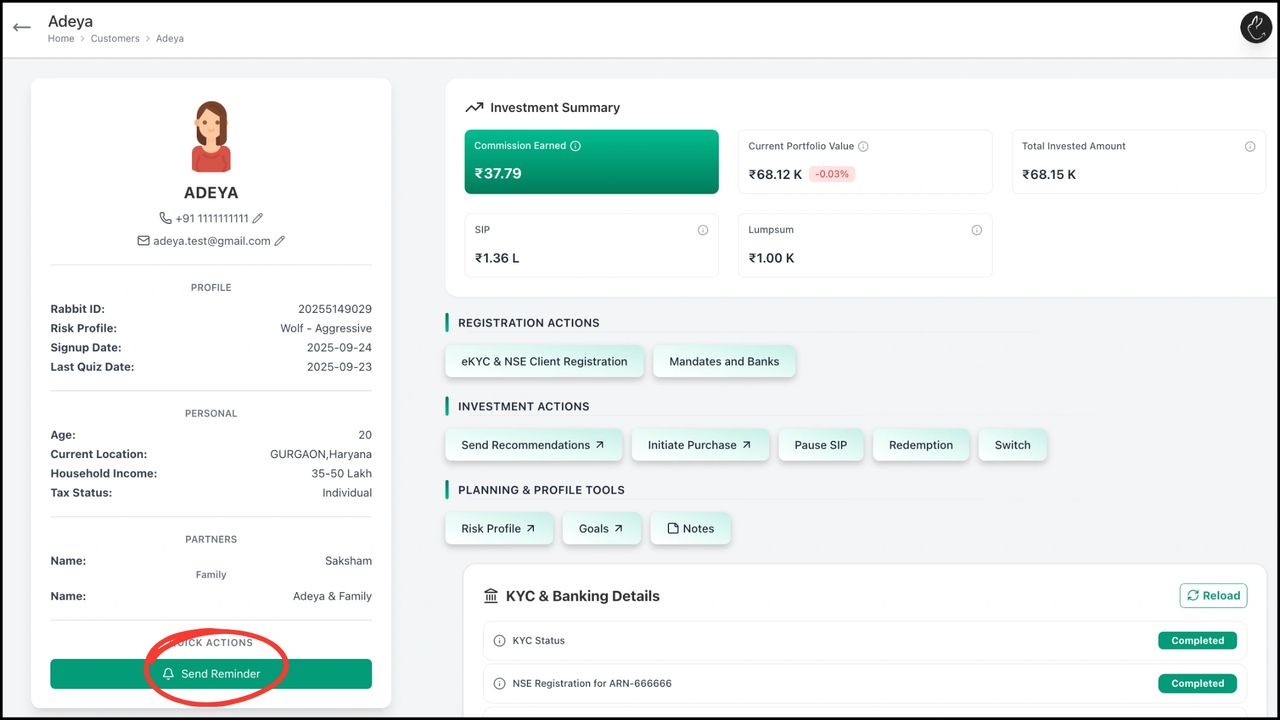
2. Click on ‘Send Reminder’
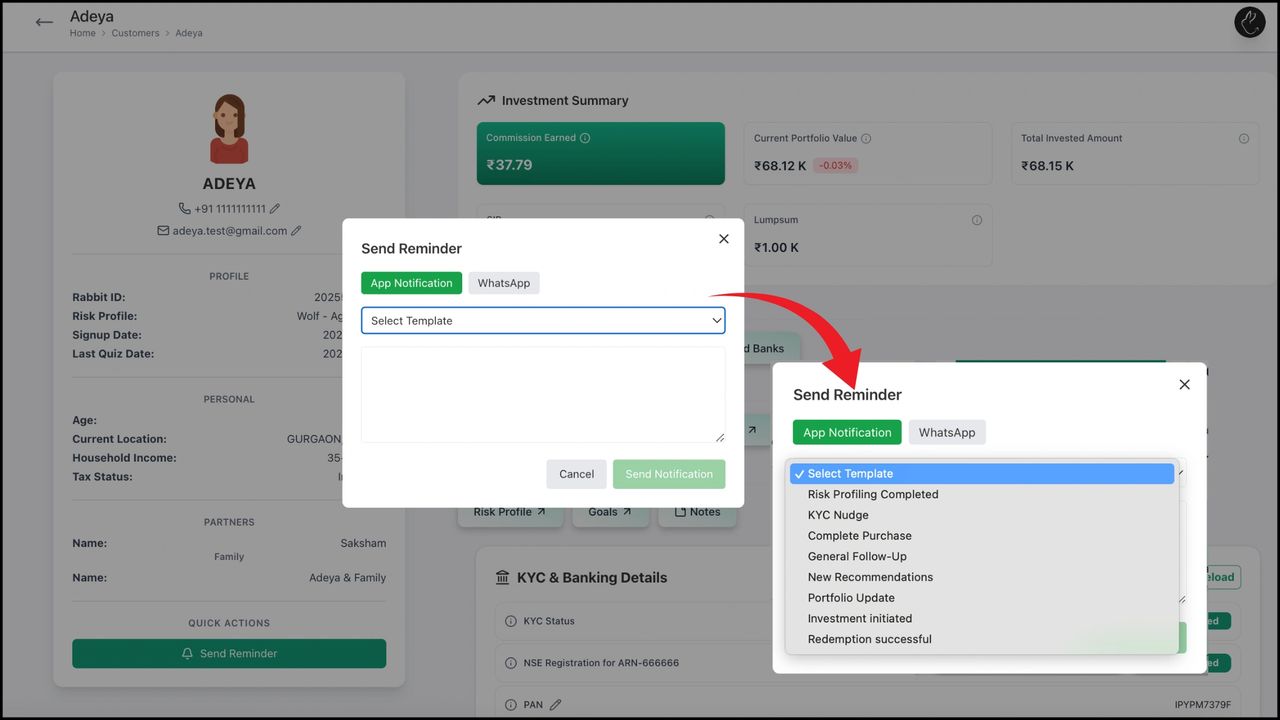
3. You can send an in-app or WhatsApp notification by selecting one of the default templates or you can choose to edit it

BACK Create, Edit, and Manage Family with Rabbit...