
Simplified KYC Process with Rabbit Invest

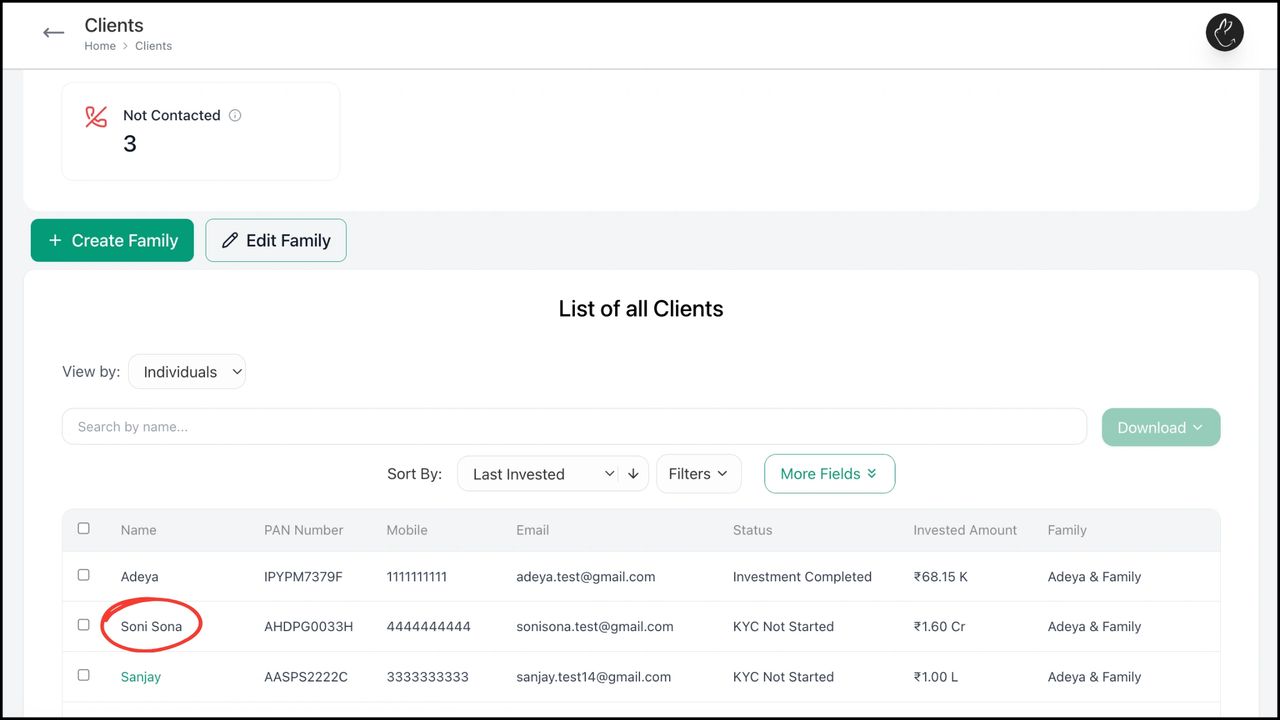
1. Click on Clients tab in your dashboard. Under ‘List of all Clients’, search/ click on the client for whom you want to start the KYC for

Click on Clients tab in your dashboard. Under ‘List of all Clients’, search/ click on the client for whom you want to start the KYC for
2. Click on ‘eKYC & NSE Client Registration’
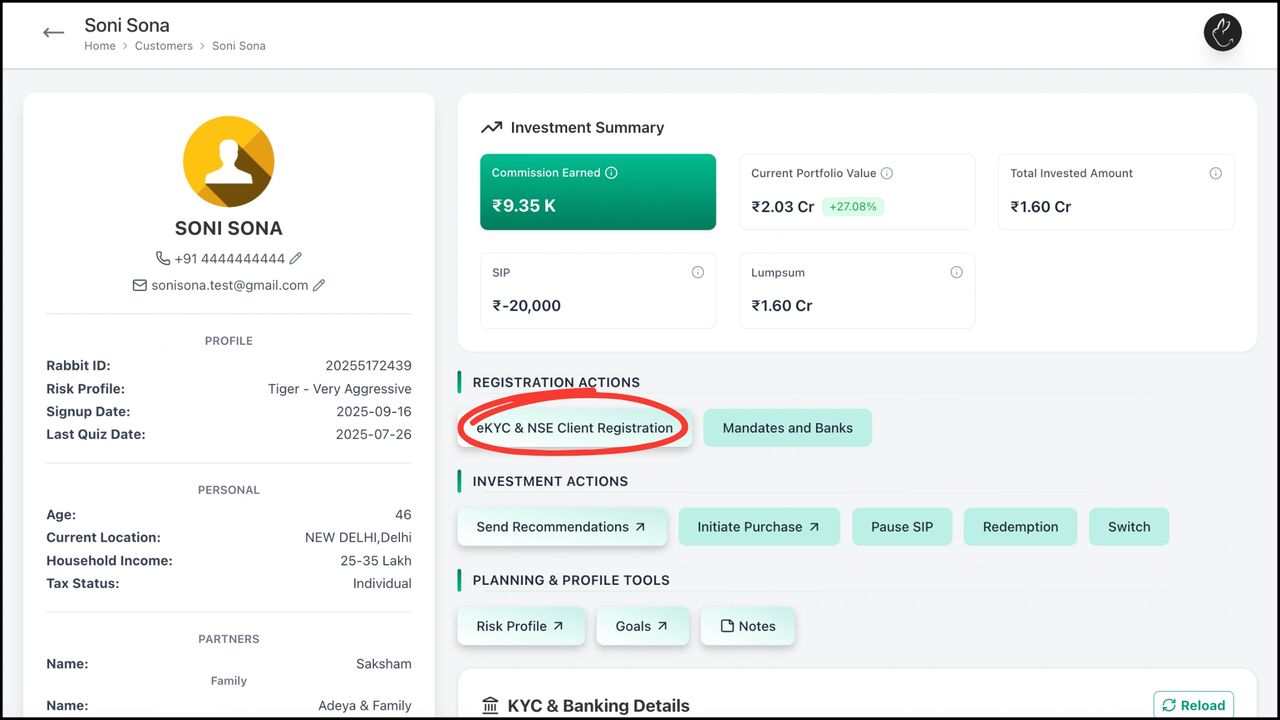
Click on ‘eKYC & NSE Client Registration'

3. Fill client’s ‘Basic Details’ and click on Save & Next

Fill client's 'Basic Details' and click on Save & Next

4. Fill in relevant ‘Income Details’ and click on Save & Next
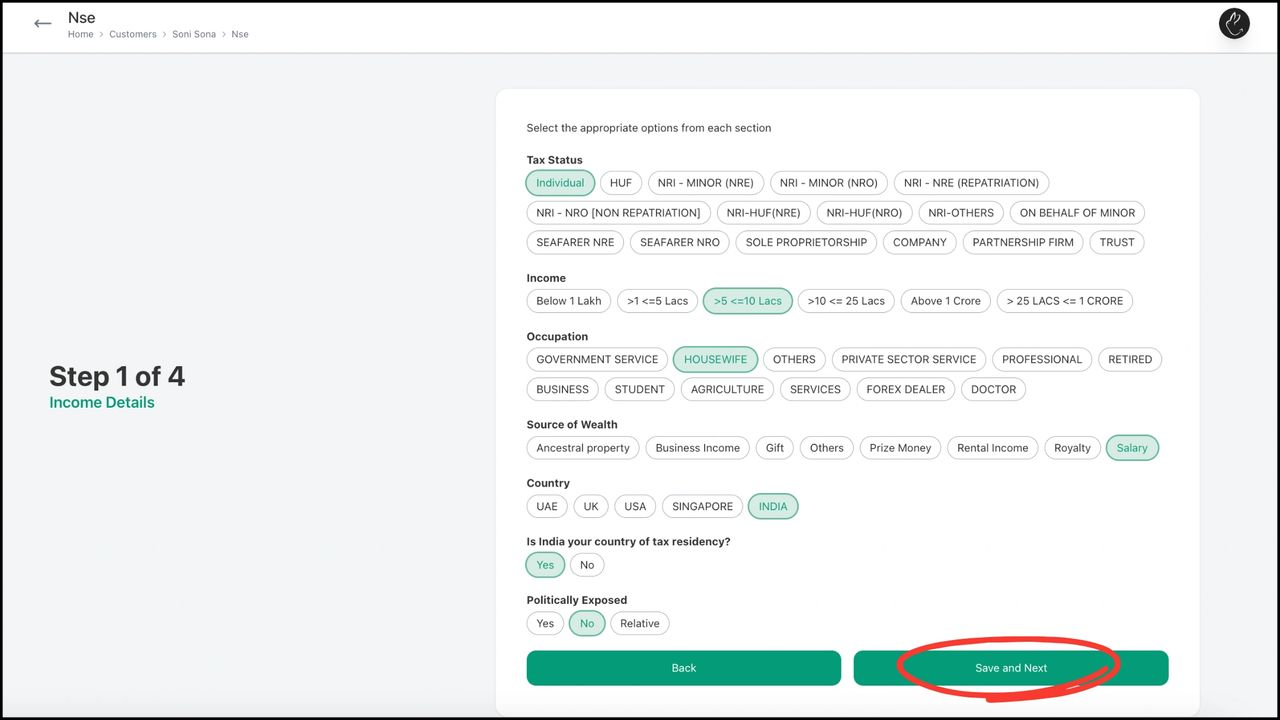
Fill in relevant 'Income Details' and click on Save & Next

5. Fill in relevant ‘Address Details’ and click on Save & Next
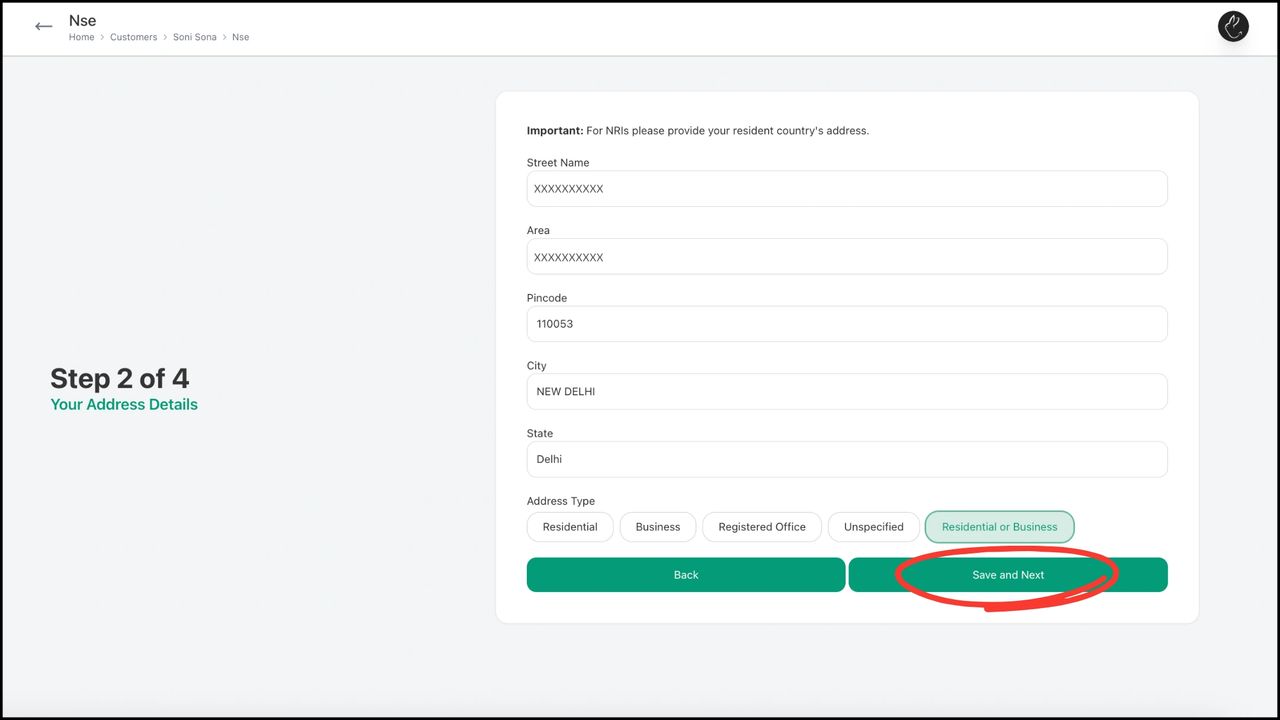
Fill in relevant 'Address Details' and click on Save & Next

6. Fill in ‘Bank Details’ and click on Save & Next
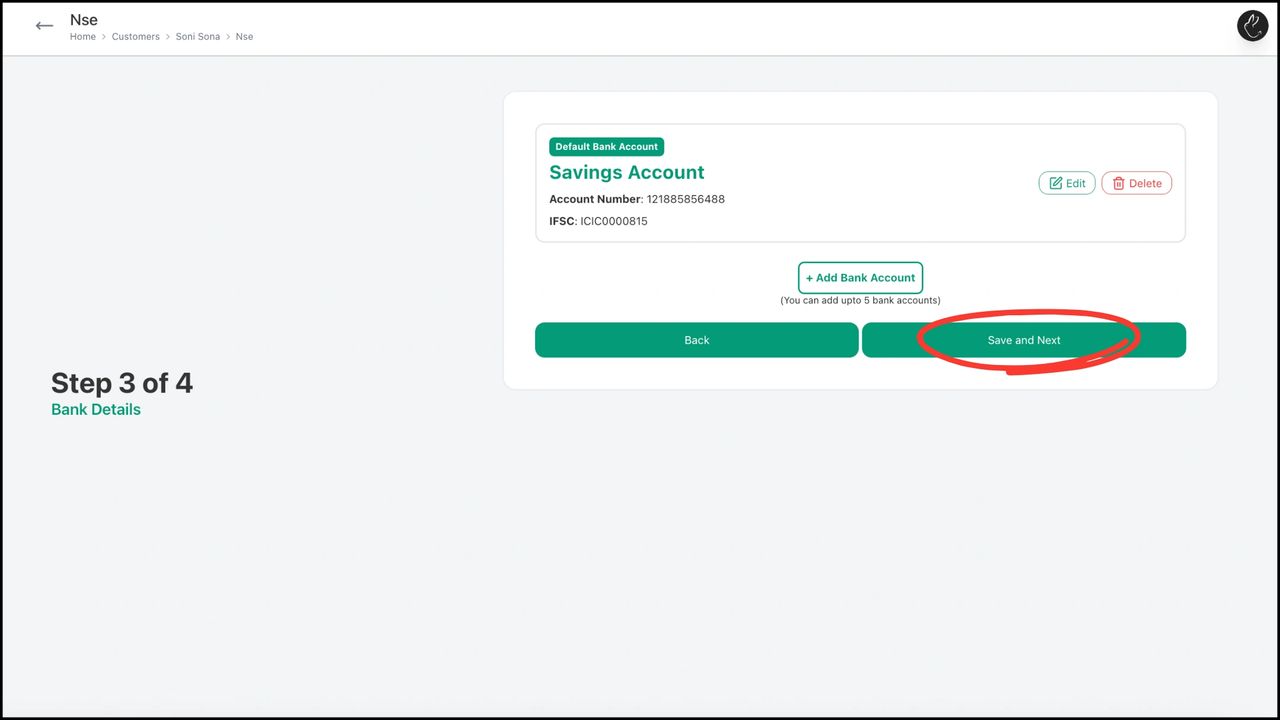
Fill in 'Bank Details' and click on Save & Next

7. Add ‘Nominee Details’ and click on Next
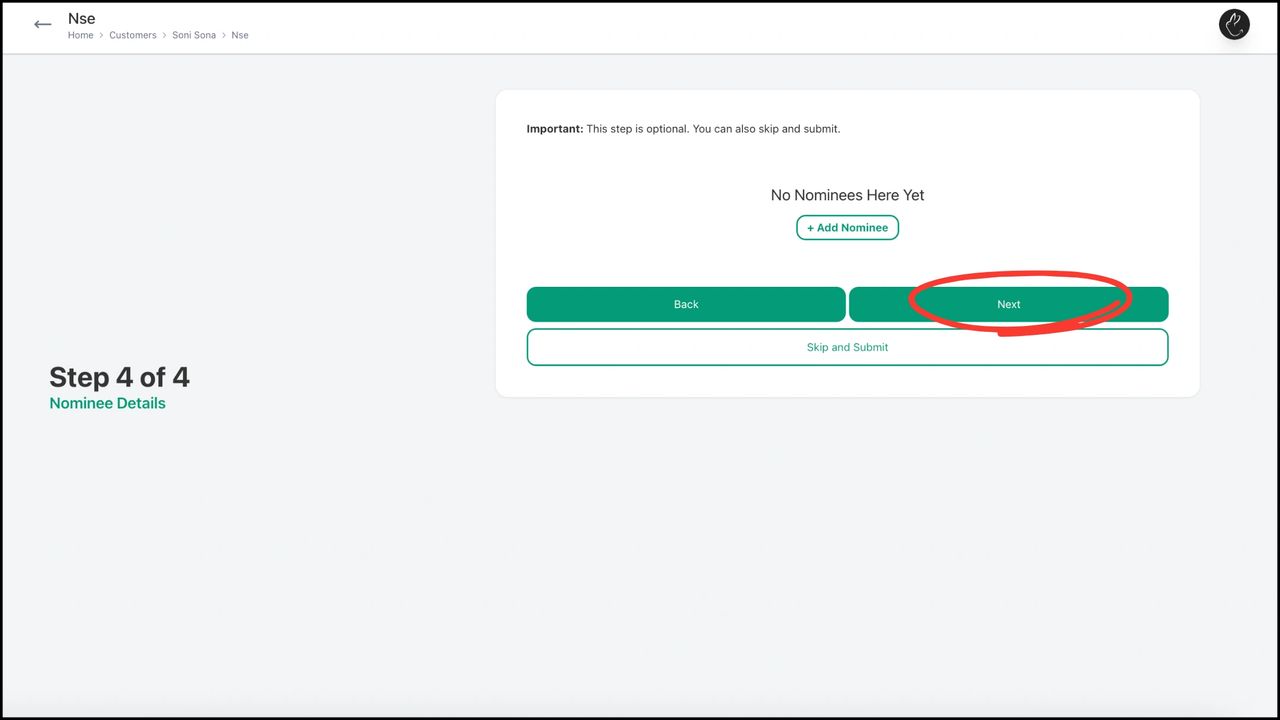
Add 'Nominee Details' and click on Next

8. Your KYC will be submitted and show a confirmed status. You can notify your client by clicking on Inform Customer via WhatsApp‘ about the same
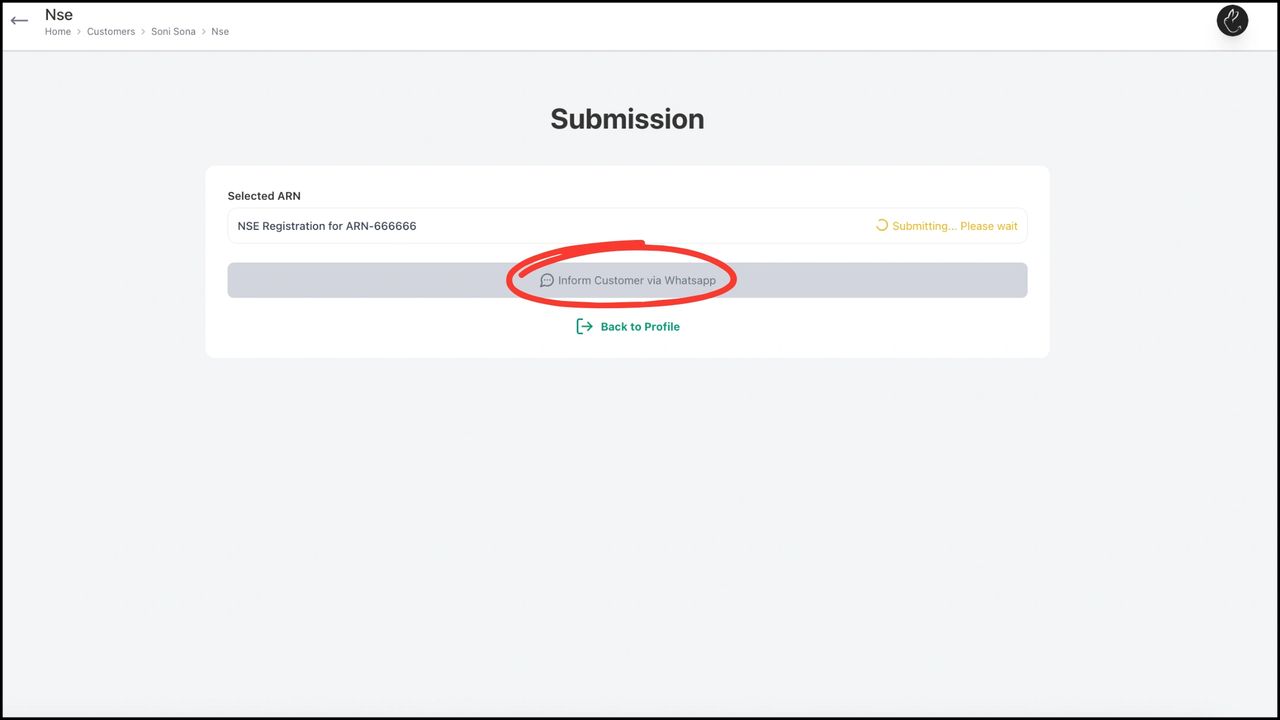
 Your KYC will be submitted and show a confirmed status. You can notify your client by clicking on 'Inform Customer via WhatsApp' about the same

9. If you click on ‘Back to Profile’, you can see that the KYC status and NSE Registration changes to Complete indicating that the customer has been KYCed
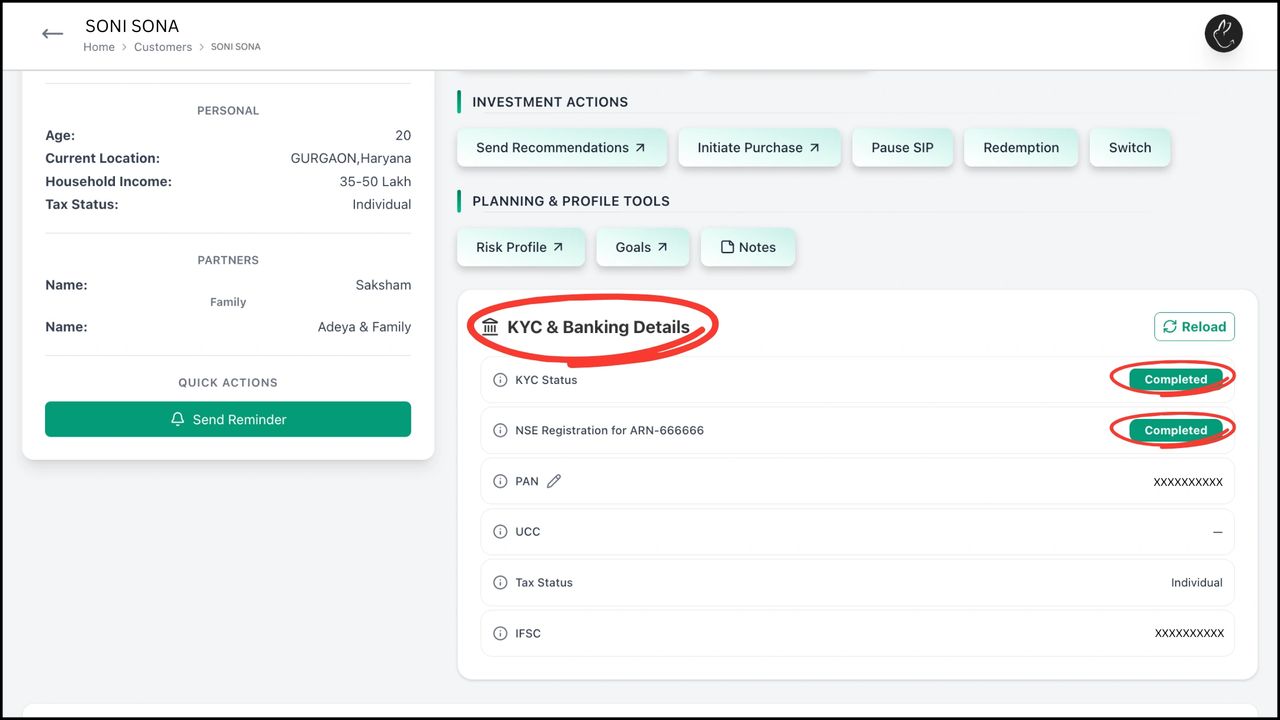
 If you click on 'Back to Profile', you can see that the KYC status and NSE Registration changes to Complete indicating that the customer has been KYCed

Leave a Reply

Your email address will not be published. Required fields are marked *